Is AI the Future of Project Management? Here's What You Need to Know

8

Juggling spreadsheets, calendars, task boards, and chat threads isn’t “project management” — it’s reactive chaos. Automatic project management uses AI to schedule tasks, assign resources, analyze risks, and update timelines for you, instead of you manually orchestrating every detail.
AI automation in project management means embedding smart algorithms into your workflows so scheduling, tracking, resource allocation, and reporting happen without manual effort.
Adoption is rising fast: 70% of project professionals now use AI-powered tools, nearly double from two years ago. More teams are making the shift.
In the sections ahead, we’ll explore how AI-driven project automation can improve scheduling, resource use, risk prediction, communication, and decision-making.
Key Takeaways
AI is changing project management by automating tasks such as scheduling, tracking, and prioritization, freeing up teams to focus on high-impact work.
70% of project professionals now use AI tools, nearly doubling adoption in just two years, showing how essential AI is becoming in modern workflows.
Predictive analytics in AI helps teams identify risks like delays or budget overruns before they happen, allowing for proactive solutions.
Real-time adjustments enable teams to adapt to shifting priorities without manually updating schedules, improving project efficiency.
AI tools improve collaboration by automating communication, keeping teams aligned, and reducing the chances of miscommunication and delays.
What Is AI in Project Management and How It Works
AI in project management refers to using intelligent software to handle routine tasks, analyse project data, and support planning and execution.
These systems pull in data from past and current projects, timelines, team workloads, task completion history, resource use, and then use that data to:
Automate scheduling, status updates, progress tracking, and reporting.
Forecast risks such as delays, budget overruns or resource bottlenecks based on patterns from past work.
Recommend optimal resource allocation by matching tasks to team members based on availability, skills, and historical effectiveness.
Research shows that organisations using AI for project management are more likely to see improvements: 58% report better output or ROI, 63% note enhanced timelines and resource use, and many observe gains in collaboration and communication.
Behind these results are technologies such as machine‑learning algorithms (for predictions and pattern detection), predictive analytics (for risk and resource forecasts), and automation engines (for scheduling and task flows).
Several tools already bring this to life, such as Akiflow. By integrating with calendars and task systems, Akiflow can automatically surface your next high‑impact tasks, letting you focus on work instead of planning.
Also Read: AI Virtual Assistants: Types and Benefits Explained
Top Ways AI is Leading the Future of Project Management
AI is already boosting project performance. Across companies using AI tools, 61% of projects finish on time, compared to 47% in firms that don’t use AI. As more teams adopt AI, this technology is rapidly becoming central to efficient planning, risk tracking, and decision‑making in project work.
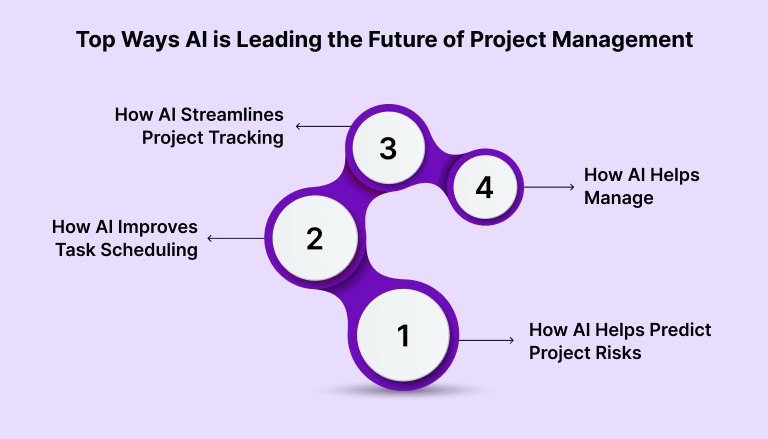
1. How AI Helps Predict Project Risks
AI brings predictive power to risk management by analyzing project history, ongoing data, and patterns across variables. This helps flag likely issues, such as timeline delays, budget overruns, or resource bottlenecks, long before they become critical.
Key features
Early warning via pattern detection: AI runs analytics on past and current project metadata to surface risk indicators, repeated delays, budget strain, or resource overload.
Probability scoring of potential problems: Predictive models estimate the likelihood of risks (delays, costs, resource shortfalls), giving managers a chance to act before they escalate.
Scenario simulation and mitigation suggestions: Some tools test “what‑if” scenarios (e.g., adding tasks, shifting deadlines) and recommend adjustments to avoid negative outcomes.
2. How AI Improves Task Scheduling and Prioritization
AI reduces the burden of manual scheduling by using data to assign tasks optimally, considering dependencies, deadlines, resource availability, and workload, so planning stays efficient even as tasks shift.
Key features
Automated task assignment: Based on team availability, workload, and skill sets, tasks get assigned without manual oversight.
Dynamic reprioritization: If priorities or deadlines change, AI reshuffles schedules in real time to ensure urgent tasks stay at the front of the queue.
Accurate timeline estimation: By analyzing historical project data, AI helps estimate realistic task durations and overall timelines — reducing guesswork.
3. How AI Streamlines Project Tracking and Reporting
When projects progress, AI can take over routine tracking, aggregating updates, monitoring milestones, and auto‑generating progress reports, so project managers and stakeholders always have up‑to‑date visibility.
Key features
Automated status updates: As tasks move through phases, AI logs progress and updates dashboards without manual entry.
Real‑time data aggregation: Combines inputs from multiple sources, timelines, resource allocation, and task completion, for a unified view of project health.
Consistent reporting for stakeholders: Regular, automatically generated reports and summaries reduce communication overhead and keep everyone aligned.
4. How AI Helps Manage and Optimize Project Budgets
Budget tracking and forecasting become more precise when AI models historical costs, resource consumption, and project progress, helping anticipate budget risks before they become issues.
Key features
Cost forecasting based on data: AI analyzes past project expenditures, resource usage patterns, and ongoing progress to predict potential budget overruns.
Dynamic budget adjustment: When project scope or resource needs change, AI can suggest or implement budget reallocations to keep cost in check.
Support for financial decision‑making: With accurate projections and real‑time cost data, managers get a clearer picture of where to invest or cut back, leading to smarter financial planning.
Also Read: Best AI Tools for Developers in 2026
Top AI-Powered Project Management Tools for 2026
AI-powered tools are transforming how teams manage projects by enhancing scheduling, resource allocation, risk prediction, and reporting.
Below, we highlight some of the best tools on the market today and what they do best for project teams seeking efficiency and smarter workflows.
Tool | Best For | Key Strengths |
Schedule consolidation & Automatic Task Prioritization | Centralizes tasks, integrates multiple tools, automates task prioritization and time-blocking for focus and efficiency. | |
Wrike | Risk Prediction & Task Management | Uses AI to predict delays, resource bottlenecks, and budget issues, allowing for early intervention and proactive adjustments. |
Asana | Productivity & Task Automation | Automates tasks, provides AI-driven prioritization and suggestions to streamline workflows and improve team productivity. |
ClickUp | Customization & Workflow Flexibility | Customizes workflows with AI-powered automation that adjusts to team needs, optimizing task management and resource allocation. |
Motion | Calendar-First Scheduling | Focuses on time-blocking and automatic task prioritization, perfect for individuals and small teams needing dynamic scheduling. |
Monograph | Budget & Financial Tracking | Integrates project management with financial tracking, ideal for architecture and engineering firms needing real-time budget and project progress alignment. |
Also Read: Exploring the Role of AI in the Workplace for 2025
Emerging Technologies Shaping the Future of Project Management
The project management toolkit is changing. Advances beyond basic automation are pushing project teams toward more innovative, more adaptive workflows.
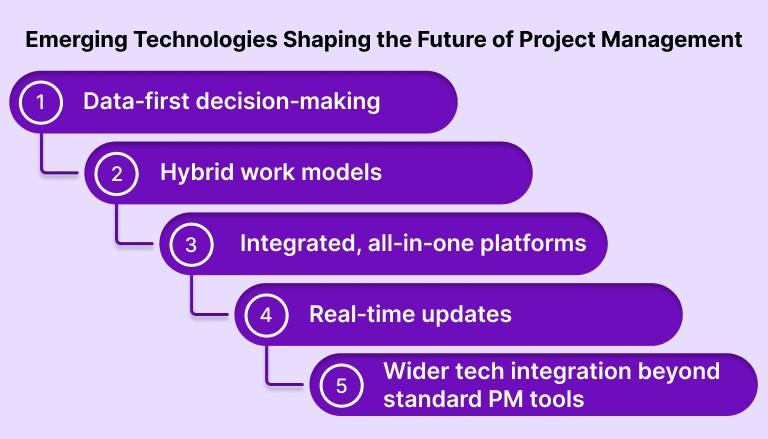
The most promising technologies center around deeper AI, data‑driven forecasting, and integrated systems that help teams stay resilient and efficient even as complexity grows.
Some upcoming trends include:
1. Data‑first decision‑making and predictive analytics
Project software is shifting from manual spreadsheets to dashboards that show live data from tasks, resources, and timelines.
Using past project data, tools can forecast potential delays, resource overloads, or budget overruns.
2. Hybrid work models and flexible methods
Rather than 100% Agile or 100% Waterfall, many teams now adopt hybrid models, a mix of structured planning and iterative execution, to match project size and needs.
This flexibility reduces friction and helps teams adapt quickly when priorities or constraints change.
3. Integrated, all‑in‑one platforms
Expect more tools that combine task management, scheduling, budgeting, resource tracking, reporting, and data integration with AI, all accessible from a single dashboard.
These unified systems eliminate manual handoffs and reduce data silos, helping teams stay aligned even as projects scale.
4. Real‑time updates and adaptive workflows
Instead of weekly or monthly updates, teams can get real-time visibility into project progress, resource loads, and risk signals.
This means issues are spotted early, and teams can adapt plans, reassign tasks, adjust timelines, and reallocate resources before problems escalate.
5. Wider tech integration beyond standard PM tools
The future includes links between project systems and other technologies, data analytics, IoT sensors, and even digital twin models in industries such as engineering and construction.
For some organizations, this means better traceability, transparency, and smarter coordination, especially for complex or distributed projects.
These trends push project management closer to becoming fully automatic, where schedules, resource plans, and risk forecasts update themselves.
Also Read: How to Connect Google Calendar to Slack (Step-by-Step Guide)
Akiflow: Simplifying Task and Time Management
Akiflow fits naturally into the evolution of automatic project management. As priorities shift, Akiflow reorganizes your schedule, updates time blocks, and ensures your most important tasks surface automatically. Instead of manually rewriting plans, you simply confirm the adjustments.
It’s designed for those who need to manage their schedule, prioritize tasks, and eliminate distractions, all in one place.
Key Features of Akiflow:
Centralized Task Management: Integrates tasks from apps like Slack, Asana, and Notion into a single dashboard.
Time-Blocking: Automatically allocates time for focused work based on your schedule.
Prioritization: Helps prioritize tasks based on deadlines and importance, ensuring critical tasks are handled first.
Real-Time Adjustments: Dynamically adjusts schedules based on changing priorities.
Timely Reminders: Sends reminders for tasks, meetings, and deadlines to keep you on track
Focus Mode: Reduces distractions by allowing you to focus on one task at a time.
Akiflow centralizes your tasks, improves focus, and helps you manage your time more efficiently, making it a powerful tool for busy professionals.
Conclusion
The way projects are managed is shifting. Relying on outdated methods like manual scheduling and constant task juggling is no longer sustainable. The future lies in simplifying operations and maximizing efficiency.
For professionals managing multiple priorities, using tools that streamline and automate project management is no longer optional. It’s necessary to stay competitive and productive. Akiflow helps you consolidate tasks, manage your time, and reduce complexity, so you can focus on delivering results that matter.
Ready to streamline your projects? Get a free demo to learn how Akiflow can help you take control of your workload.
FAQs
Q: How does AI impact decision-making in project management?
A: AI provides actionable insights by analyzing data from multiple sources, helping project managers make informed decisions faster. By predicting outcomes and highlighting potential risks, AI reduces uncertainty and improves overall decision-making accuracy.
Q: Can AI help improve project budget management?
A: Yes, AI tools track project expenses and compare them to budgets in real-time, automatically adjusting forecasts when needed. This helps project managers avoid budget overruns and make more accurate financial decisions based on up-to-date data.
Q: How does AI optimize resource allocation in project management?
A: AI analyzes team members’ skills, availability, and performance to recommend the best resource allocation. This ensures the right person is assigned to the right task at the right time, preventing resource underuse or overuse.
Q: Can AI tools predict project timelines more accurately?
A: AI improves timeline predictions by learning from historical data and task dependencies, giving teams more reliable estimates. This allows project managers to plan better and avoid unexpected delays, leading to more on-time deliveries.
Q: How do AI tools adapt to changing project conditions?
A: AI tools can adjust project plans dynamically by reassessing tasks, priorities, and resource availability. When project conditions change, these tools automatically update schedules, reassign resources, and alert teams, ensuring continuous alignment with project goals.


