
For many people managing work in Notion, keeping schedules aligned with calendars remains a challenge. Notion’s calendar features now let you view and organize dates and events inside your workspace, and you can connect calendars like Google or Apple to see all your plans in one place.
Effective scheduling matters more than ever. Research from 2025 shows that many professionals spend significant time arranging and confirming meetings each week. For example, 43 percent of knowledge workers report spending three hours or more scheduling meetings weekly.
At the same time, the market for digital calendars continues to grow rapidly. In 2024 the global calendar app market was valued at about $5.71 billion and is expected to expand steadily over the coming decade.
This makes calendar integration a key part of organizing time and priorities. In the sections that follow, we explain what calendar integration means in Notion as of 2026, how you can connect calendars, and what it does and does not do in practice.
Key Takeaways
Notion Calendar supports Google, Outlook, and iCloud, allowing you to view external events within your workspace.
Events can be created and synced from Notion Calendar, but task databases don’t automatically appear in your external calendar.
Two-way syncing between Notion and tools like Google Calendar is not native. To enable it, you’ll need to use third-party tools or build custom workflows.
Automation platforms like Make and n8n can connect Notion databases with calendar apps, but they require setup and ongoing maintenance.
For task-based scheduling, some users choose tools like Akiflow to help them block time on their calendar based on tasks from Notion and other apps.
Without filters or view customization, linking multiple calendars in Notion can create visual clutter, especially in high-volume workspaces.
Typical use cases include content planning, freelance project scheduling, sprint coordination, and merging personal and work calendars into one view.
What Notion Calendar Integration Actually Means in 2026
Notion’s calendar integration has evolved, but there’s still some confusion around what it can and can’t do.
The release of the Notion Calendar app added a more traditional calendar experience. Unlike the old database “calendar view,” this is a standalone tool where you can connect external calendars like Google Calendar, Outlook, and iCloud. Once linked, you can view those external events alongside any Notion content you attach.
You can also create new events inside Notion Calendar and link them to pages, meeting notes, or task databases. This makes it easier to tie your schedule to the context behind each event.
However, many users still expect full two-way syncing between Notion and tools like Google Calendar. As of 2026, that’s not how it works by default. When you link a calendar, Notion shows your events, but it doesn’t automatically sync Notion tasks or database entries as calendar events; unless you build that workflow yourself.
Ways to Integrate Notion With Your External Calendars
Notion supports calendar integration through its Notion Calendar app, which allows you to connect external accounts like Google, Outlook, and iCloud. The setup is quick: you log into your calendar account through Notion Calendar, and your external events start appearing automatically.
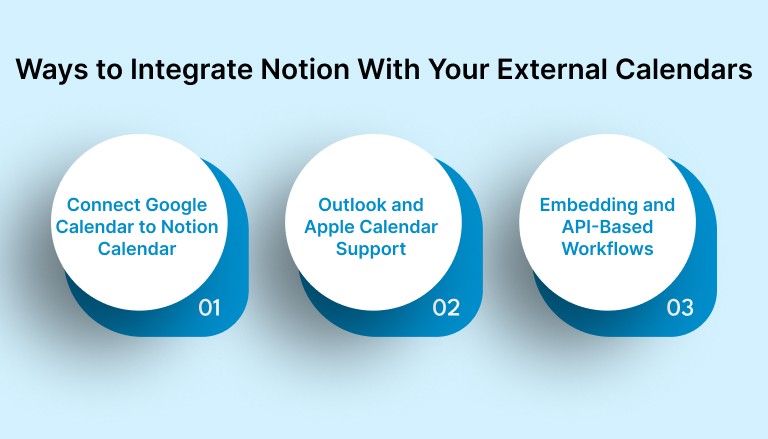
Connect Google Calendar to Notion Calendar
Notion Calendar supports direct integration with Google Calendar. You can connect your account through the calendar settings using OAuth. Once connected, your events show up automatically inside Notion Calendar, and you can choose which calendars to display.
You can also create new events directly from Notion Calendar. These sync back to your Google Calendar in real time. This is useful for scheduling meetings, time blocking, or attaching pages like meeting notes or tasks.
However, the integration is focused on events. If you’re using a Notion database to manage tasks or deadlines, those items will not appear in your Google Calendar unless you manually create matching events or build an automation to handle it.
Outlook and Apple Calendar Support
In addition to Google, Notion Calendar supports external calendar accounts from Microsoft Outlook and Apple iCloud. You can link these accounts the same way, from the calendar settings, and your events will appear automatically.
This is especially useful for professionals managing multiple calendars across personal and work accounts. For example, a user might combine a personal iCloud calendar with a company Outlook calendar to get a full view of availability in one place. This helps avoid double bookings and keeps planning more organized.
Embedding and API-Based Workflows
If you don’t want to use Notion Calendar but still want a calendar view inside Notion, you can embed a Google Calendar directly into any page. This gives you a read-only view of your calendar. It’s easy to set up but doesn’t allow event editing or two-way sync.
For more advanced workflows, some users connect Notion databases with their calendar using automation tools like Make, Pipedream, or n8n. These tools can push tasks or entries from a Notion database into Google Calendar automatically. While setup requires some technical steps, it offers much more flexibility and control.
For example, a user might configure a scenario where any task with a due date and “Scheduled” status in Notion is turned into a Google Calendar event. These automations help bridge the gap between database-based planning and time-based scheduling.
Must read: Why Is My Calendar Not Syncing? Common Fixes in 2025
Use Cases for Calendar Sync in 2026
Calendar integration isn’t just about convenience. It’s about making better decisions with your time. Here are a few examples of how people use Notion’s calendar connection to stay focused, reduce manual work, and keep everything in view.
1. Content Teams Linking Editorial Calendars to Publishing Dates
Marketing and content teams often manage blog posts, campaigns, and assets in a Notion database. By syncing deadlines with a connected Google or Outlook calendar, they can track publishing schedules alongside internal meetings or launches. It helps avoid last-minute overlaps and keeps everyone aligned.
2. Freelancers Scheduling Client Work Blocks
Freelancers use Notion to manage project pipelines and deliverables. By connecting Notion tasks to their calendar using automation, they can turn confirmed deadlines into visible time blocks. This makes it easier to balance client work, meetings, and deep focus time in one place.
3. Product Managers Aligning Roadmaps with Sprint Planning
Many product managers use Notion to track sprints, tasks, and launch milestones. When these are synced into a shared team calendar, it becomes easier to coordinate work across engineering, design, and leadership without needing to duplicate information in multiple places.
4. Founders Managing Personal and Business Schedules Together
Founders juggling multiple calendars often combine a personal iCloud account with their company Google Calendar. Notion Calendar helps them view everything in one place and attach key documents, call notes, or meeting prep directly to the event.
Suggested read: Organize Your Workday Like a Pro: Best Planner & Calendar Apps 2025
Limitations and Things to Know Before You Sync
Calendar integration in Notion has come a long way, but there are still important limitations to keep in mind especially if you’re expecting a full task-to-calendar workflow.
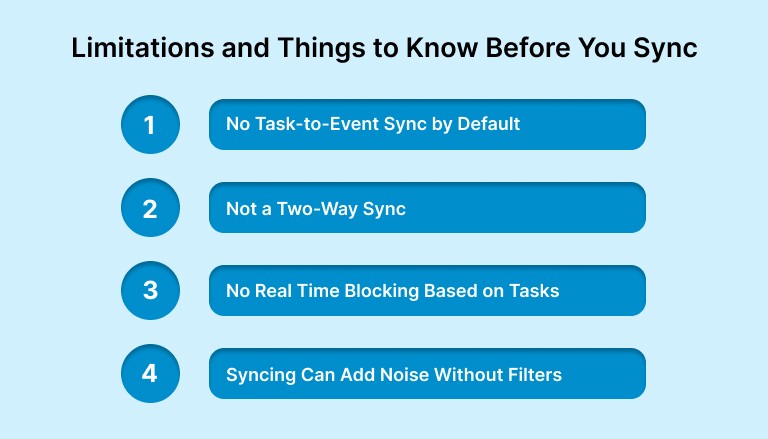
No Task-to-Event Sync by Default
Linking an external calendar like Google or Outlook will show your events inside Notion Calendar, but tasks or database entries don’t automatically become calendar events. If you’re tracking tasks, you’ll need to either create events manually or build automations using tools like Make or n8n.
Not a Two-Way Sync (Unless You Build It)
Even with third-party automations, syncing tends to be one-way or partial. An event created in Notion Calendar may update in your connected calendar, but an edit in Google Calendar won’t always push back into a Notion database. This can lead to mismatches unless you’re careful about maintaining your workflow.
No Real Time Blocking Based on Tasks
If you’re trying to block time for tasks on your calendar, Notion won’t help you do that automatically. You have to decide when to work on something, then manually create an event for it.
This is where tools like Akiflow step in. Akiflow pulls in tasks from Notion (and other tools like Gmail, Slack, or Asana) and gives you a way to instantly block time for them on your calendar. Instead of juggling tools or building automations, you can turn a Notion task into a calendar event with one click; then drag it around your schedule like a native event.
Syncing Can Add Noise Without Filters
Once you connect multiple calendars, Notion Calendar can quickly become cluttered. There’s no built-in filtering for specific tags, task types, or database views. For high-volume workspaces, this can make scheduling harder instead of clearer.
Final Thoughts
Calendar integration in Notion has improved a lot, especially with the standalone Notion Calendar app. You can now connect Google, Outlook, and iCloud, view your events in one place, and attach content that adds context to your schedule.
But if you’re relying on Notion to manage tasks, projects, and meetings across different tools, there’s still friction. Native syncing isn’t two-way. Task databases don’t connect to your calendar automatically. And building your own workflows can take time you don’t have.
That’s why many professionals pair Notion with a dedicated scheduling layer like Akiflow. Try Akiflow for free! It lets you keep using Notion as your workspace, while giving you fast, structured control over how those tasks show up in your calendar. Instead of managing schedules across multiple tools, everything flows into one system you can actually act on.
If staying on top of your time is critical to your work, it’s worth exploring tools that make that easier without forcing you to change how you already work.
FAQs
Q: What calendars does Notion integrate with?
A: As of 2026, Notion Calendar integrates with Google Calendar, Microsoft Outlook, and Apple iCloud. You can connect multiple accounts and choose which calendars to display within Notion Calendar.
Q: Does Notion Calendar have an API?
A: Notion Calendar itself doesn’t have a separate API, but you can use the Notion API to access and sync data from databases. For event syncing, external tools and platforms like Make or n8n are commonly used.
Q: What are the limitations of Notion Calendar?
A: Notion Calendar shows external events and lets you create new ones, but it does not support two-way sync with database tasks. Task entries don’t become calendar events unless added manually or automated through external tools.
Q: Is the Notion API free?
A: Yes, the Notion API is free to use, with no separate pricing tier. However, usage limits and advanced features may depend on your Notion workspace plan.
Q: Is Notion still relevant in 2026?
A: Absolutely. Notion remains one of the most widely used productivity platforms, especially among teams and independent professionals. The release of Notion Calendar has only strengthened its role in time and task management.


