Google Tasks Alternative: Why All-in-One Productivity Tools Are Taking Over in 2026

10
Google Tasks is a go-to for many users because it’s simple, free, and built right into Gmail and Google Calendar. But for anyone trying to manage more than basic to-dos, it quickly starts to feel limiting.
You can’t view tasks across multiple projects. There’s no way to time block or prioritize work. And the experience stays disconnected from your actual calendar. For professionals who need more control over their day, that creates friction.
In fact, a growing number of users are searching for a more unified productivity system. They want one place to manage tasks, time, and priorities. Whether you’re planning your day, collaborating with a team, or just tired of juggling tabs, the right alternative can make a big difference.
This guide covers the top Google Tasks alternatives in 2026, grouped by planning style and feature set. You’ll also get tips on how to choose based on your workflow, so you don’t just switch tools; you upgrade how you work.
Key Takeaways
Google Tasks is simple but limited: It works well for basic to-dos but lacks views, prioritization, and integration needed for serious planning.
Most users outgrow basic list tools: Professionals need apps that combine tasks, time, and planning in one place to reduce friction and improve clarity.
The best alternatives offer calendar views, time blocking, and integrations: Features like drag-to-schedule, recurring tasks, and cross-device access are essential for modern workflows.
Choose based on your workflow, not just features: Solo users should look for speed and flexibility. Teams need visibility and collaboration. Deep work planners benefit from structured scheduling.
Top picks in 2026 include Akiflow, Sunsama, Motion, TickTick, and Todoist: Each tool fits a different use case, from minimalist lists to full planning systems.
Avoid common mistakes when switching tools: Know your goals, integrate your tools, and test how the app fits your real daily habits before committing.
Why People Are Looking for a Google Tasks Alternative
Google Tasks works well for quick reminders or one-off to-dos. It’s lightweight, integrated into Gmail, and doesn’t require much setup. But once your workload grows beyond a simple checklist, its limitations start to show.
Most users eventually run into the same roadblocks:
Tasks live in isolated lists with no calendar view
There’s no support for recurring project templates
You can’t prioritize tasks or add labels and filters
No built-in collaboration or sharing
Poor visibility across tasks and time
If your workday includes multiple tools, team communication, and deadlines, Google Tasks quickly becomes hard to scale. It lacks the planning flexibility and depth that professionals need to stay organized and make confident decisions about how to spend their time.
That’s why more people are looking for productivity tools that do more than just manage lists. They want something that supports the way they think, plan, and work; whether that means visual timelines, calendar-based planning, or syncing tasks from different apps.
Must read: Google Keep vs Google Tasks Difference Comparison for 2025
What to Look For in a Google Tasks Alternative
If Google Tasks no longer fits the way you work, switching to another simple list app may not be enough. The right alternative should solve your current pain points and improve how you plan your day.
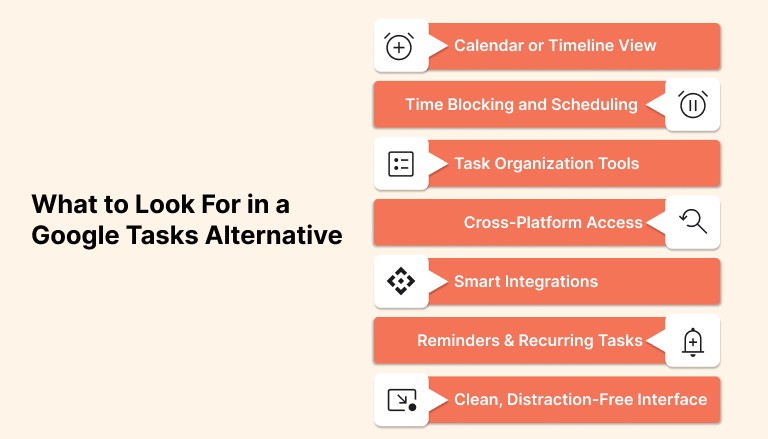
Here are the features to look for when comparing task management tools:
1. Calendar or Timeline View
Seeing your tasks in the context of your time helps you plan more realistically. Look for apps that offer daily, weekly, or timeline views.
2. Time Blocking and Scheduling
The ability to drag a task into your calendar and assign time to it turns intention into execution. This is essential for focused planning.
3. Task Organization Tools
Subtasks, tags, labels, due dates, and folders help you manage complexity without losing clarity.
4. Cross-Platform Access
Make sure the tool works well across web, desktop, and mobile. You should be able to capture and manage tasks no matter where you are.
5. Smart Integrations
Look for apps that connect with your email, calendar, communication tools, and project platforms. This saves time and prevents double entry.
6. Reminders and Recurring Tasks
Set reminders for time-sensitive items and recurring tasks for routines. This helps you stay on track without relying on memory.
7. Clean, Distraction-Free Interface
A cluttered task app can be just as overwhelming as an overloaded inbox. A clean UI makes it easier to focus and follow through.
Before choosing an app, think about how you naturally plan your day. The best tool will feel like an extension of your thinking, not something you have to work around.
Best Google Tasks Alternatives in 2026
There’s no shortage of to-do apps on the market, but not all of them are built to replace Google Tasks. Some offer simple upgrades, while others give you full control over your time and priorities. Below, we’ve grouped the top alternatives into three categories based on planning style and feature depth.
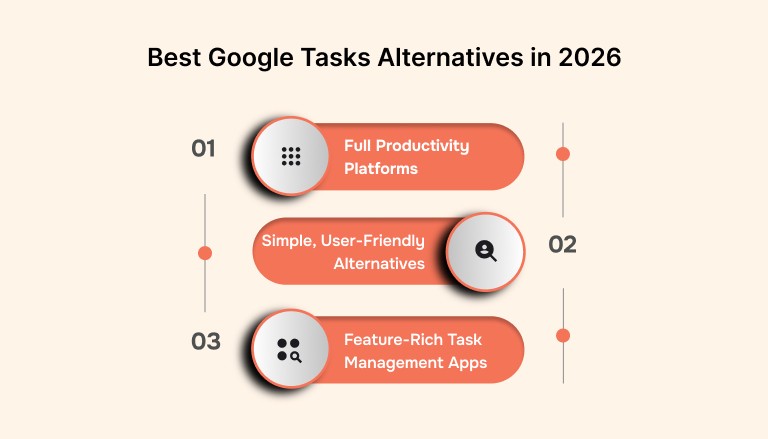
A. Full Productivity Platforms
These tools bring together tasks, time, scheduling, and smart planning features. Perfect if you want one space to manage everything.
Akiflow
Akiflow helps you collect tasks from email, Slack, Notion, and other tools, then schedule them directly onto your calendar. It supports time blocking, keyboard-first planning, and smart prioritization. Ideal for professionals who want to plan faster and work with more clarity.
Sunsama
Sunsama focuses on intentional planning. Each day, you choose what to work on and when, pulling tasks from other tools into a calm, structured layout. Great for users who value deep work and reflection.
Motion
Motion uses AI to automatically schedule your tasks based on deadlines, priorities, and availability. It’s built for people who want a hands-off system that adapts in real time.
B. Simple, User-Friendly Alternatives
These tools are great if you like the simplicity of Google Tasks but want a few more planning features.
Todoist
Todoist adds structure without complexity. You can organize tasks by project, set priorities, add labels, and use natural language for due dates. It also integrates with Google Calendar, which makes it a strong upgrade for everyday task management.
Microsoft To Do
Microsoft To Do is clean, intuitive, and completely free. It’s a great fit if you’re in the Microsoft ecosystem and want subtasks, reminders, and daily planning features in a lightweight app.
Any.do
Any.do is focused on simplicity and ease of use. It offers daily task review, calendar syncing, and voice input for tasks. The mobile app is especially polished for on-the-go planning.
C. Feature-Rich Task Management Apps
These options are ideal if you’re managing multiple projects and need more control over how tasks are scheduled and organized.
TickTick
TickTick offers list, Kanban, and calendar views along with built-in time tracking and Pomodoro timers. It’s fast, flexible, and packed with features that help with focus and planning.
GQueues
If you like the Google ecosystem but need more than Tasks can offer, GQueues is worth considering. It integrates with Google Calendar and offers recurring tasks, tags, and shared lists with real-time updates.
Notion
Notion combines task management with docs, databases, and wikis. It takes longer to set up, but if you want an all-in-one workspace, it gives you full customization and flexibility.
At a glance:
Tool | Best For | Calendar View | Calendar Sync | Task Organization | Time Blocking | Team Collaboration |
Akiflow | Unified task + calendar planning | Yes | Yes | Multi-source inbox | Yes | Yes |
Todoist | Simple task lists with advanced features | Basic agenda | Yes | Labels, filters | No | Yes |
Microsoft To Do | Lightweight, simple planning | No | Yes | Subtasks, lists | No | Yes |
Easy daily planning | Yes | Yes | Lists, quick entry | No | Yes | |
TickTick | Rich feature set for individuals | Yes | Yes | Multiple views, tags | Yes | Yes |
GQueues | Structured planning for Google users | List only | Yes (GCal) | Projects, tags | No | Yes |
Notion | Flexible workspace and task ops | Custom views | Yes (via integration) | Databases, filters | Yes (via setup) | Yes |
Sunsama | Intentional daily planning | Yes | Yes | Pulls tasks from apps | Yes | Yes |
Motion | Automated scheduling & prioritization | Yes | Yes | Smart scheduling | Yes (auto) | Yes |
How to Choose the Right Google Tasks Alternative for Your Workflow
Not every task app is built for the same kind of user. Your best-fit alternative depends on how you plan your day, how much structure you need, and whether you’re working solo or in a team. Here’s how to narrow it down based on real-world needs:
For Solo Professionals and Freelancers
You need a tool that’s fast, flexible, and doesn’t get in your way.
Look for:
Fast task capture and easy scheduling
Keyboard shortcuts or mobile access for quick updates
Calendar integration so you can time block without switching tools
Clean, distraction-free interface
Best fits: Akiflow, Todoist, TickTick
For Team Leads and Collaborators
Your focus is on visibility, shared timelines, and keeping everyone aligned.
Look for:
Shared task lists and calendars
Integrations with Slack, Asana, Trello, or email
Assignments, tags, and due dates for clarity
Activity tracking to stay on top of progress
Best fits: Notion, Nifty, GQueues, Microsoft To Do
For Deep Work Planners
You need something that helps you focus, defend your time, and plan realistically.
Look for:
Built-in time blocking
Daily or weekly review flows
Smart suggestions or drag-to-schedule
A calm interface that reduces noise
Best fits: Sunsama, Akiflow, Motion
Also read: How To Assign Tasks In Google Tools
Common Mistakes When Switching from Google Tasks
Switching tools seems simple at first, but without a clear plan, it can leave you more disorganized than before. These are some of the most common mistakes users make when moving away from Google Tasks, and how to avoid them.
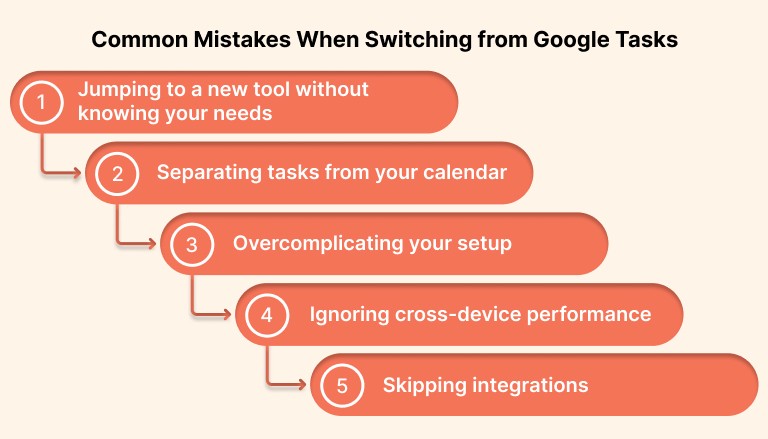
1. Jumping to a new tool without knowing your needs
Not every task app solves the same problem. Before switching, ask yourself what Google Tasks is missing. Is it planning? Prioritization? Calendar integration? Understanding this helps you choose a tool that fits the way you actually work.
2. Separating tasks from your calendar
When tasks and time are not connected, planning breaks down. Look for tools that let you schedule tasks directly into your calendar. This keeps your day grounded and helps you follow through on what matters most.
3. Overcomplicating your setup
Choosing a powerful app with too many views, templates, or automations can slow you down. Start simple. Use the features you need right now and add more as your workflow evolves.
4. Ignoring cross-device performance
The desktop experience may feel smooth, but don’t forget to test the mobile version. If the app is clunky on your phone or tablet, it will disrupt your planning when you are away from your desk.
5. Skipping integrations
Many of the best tools save time by syncing with email, chat, or project platforms. If you skip the setup, you might end up manually copying tasks, which adds friction to your workflow.
Conclusion
Google Tasks works fine for quick reminders and simple lists. But if your day involves deep work, shifting priorities, or multiple tools, you need more than a basic checklist.
The right alternative helps you move from managing tasks to actually planning your time. It gives you a clear view of what matters, when to do it, and how to stay in control without constant context switching.
If you’re ready for something more powerful, Akiflow brings your tasks and calendar into one clean command center. You can pull in tasks from Gmail, Slack, Notion, and more, then schedule them with just a few keystrokes. It is fast, focused, and built for professionals who want clarity without clutter.
Try Akiflow for free and see how much smoother your day can run when everything is finally in one place.
FAQs
Q: Is Todoist better than Google Tasks?
A: Todoist offers far more features than Google Tasks, including labels, filters, priority levels, and integrations with calendars and other apps. For simple checklists Google Tasks is fine, but Todoist is generally better for organizing more complex task workflows.
Q: What is the best app for organizing tasks?
A: The best app depends on your workflow, but popular choices include Todoist for flexible lists, TickTick for rich views and time tracking, and Akiflow for unified task and calendar planning. Each of these tools helps you organize tasks more effectively than basic list apps.
Q: Does Google have a task management tool?
A: Yes, Google Tasks is Google’s native task management tool and is integrated with Gmail and Google Calendar. It is useful for simple to-dos but has limited features for advanced planning and task organization.
Q: What is the Google equivalent of To Do?
A: Google Tasks is the closest equivalent to a To Do list within the Google ecosystem. It lets you create simple lists and set basic due dates, though it does not offer the same level of organization and views as dedicated task apps.
Q: Is there a free task management tool?
A: Yes, there are many free task management tools such as Microsoft To Do, Todoist free version, and Any.do free tier that offer basic planning and reminders. These options provide more functionality than Google Tasks while still being accessible at no cost.


