Summary
GTD moves ideas, commitments and tasks into an external system. The article organizes the process into five steps: capture, process, organize, review and engage.
Decide whether each captured item is actionable. Organize actions by project, timing or context; keep reference material and someday ideas separate from current actions.
Review lists regularly to update priorities and identify missing items, then act on the work you have organized. Choose paper or digital tools that suit you.
Procrastination and overthinking are some of the most common complaints among those seeking to be more productive. The cycle of procrastination and overthinking is so firmly rooted in our brains that starting even simple tasks can become a hassle. But that’s when the Getting Things Done method comes to the rescue.
Excelling productivity demands a very technical and practical approach to it. If you’re struggling to keep up with your tasks, it might be due to a lack of organization or discipline, and you’ll need a method to fix that. The GTD is my favorite strategy because it is tight enough for those who feel lost in their productivity journey while being flexible enough to fit into anyone’s lifestyle and routine.
What exactly is the GTD method?
Getting Things Done (GTD) is a productivity framework that gives you a simple process of building a to-do list. Designed by productivity consultant David Allen, it is a powerful system that can help you accomplish more, manage stress better, and relieve any task-related anxiety.
The technique’s premise is that stacking up information in your brain causes tension, anxiety, and apprehension. The more information running around your mind, the more difficult it is to determine what to tackle. Consequently, you spend more time planning your duties than actually carrying them out.
The author noted that human brains are better at processing information than storing it. So, instead of trying to do both, the GTD method requires you to dump all your mental clutter into an external system and organize it in a way that you can focus on what truly matters. It helps you feel confident about what to work on next and let go of the fear of forgetting critical tasks.
In sum, GTD is a way of organizing your life that ensures productivity and efficiency. This tool can help you reclaim control over your life and schedule by micromanaging your tasks and activities and, thereby, staying at the top of your game.
Why do you need GTD?
Losing focus due to this constant buzz in your head that won’t go away? Yeah, that’s your stress level kettle-whistling.
We live in a fast-paced reality that demands a lot of brain power. When it becomes too cluttered, it’s easy to feel like a ticking time bomb that can erupt in burnout at any second. The GTD method can help you create an external system to relieve all that.
Here are a few signs that you should give the GTD a try:
You have an overwhelming to-do list flooded with overdue tasks.
You’re constantly concerned about forgetting things.
You have to balance several personal and professional responsibilities.
You struggle to beat procrastination and start your activities.
You’ve tried many other productivity hacks, but none seem to work.
How to use the GTD method
As with any other framework, GTD needs an initial commitment to set it up, demanding some time and dedication to build your external brain. But it’s definitely worth the investment: you won’t worry about missing a deadline or skipping a crucial assignment anymore. Instead, you’ll learn to allocate your time precisely and deal with new information and ideas accordingly.
There are only five simple steps to applying the GTD technique:
Capture: Register in an inbox every little and big thought that comes to mind.
Process: Turn the ideas into actionable tasks.
Organize: Arrange the tasks by priority, assign them to whoever must take action, and sort your work.
Review: Examine, update, and rewrite your lists regularly.
Engage: Roll up your sleeves and get to work!
STEP 1: CAPTURE
The first step is to capture all you need and want to do.
You can only keep all that data in your head with the risk of forgetting it, so to get this step right, you must register all your ideas, tasks, projects, to-dos, commitments, etc., and trap them in an external system.
You can put them down on paper, make a list on your laptop, or even make a slideshow. This will become your task inbox.
Once you’re done with this phase, your brain will feel unburdened, acquire better clarity, and be less chaotic, making you ready for the next step.
STEP 2: PROCESS
The processing step focuses on turning the ideas you’ve just captured into actionable to-dos. You can do that with this quick flow chart:
Is it actionable?
If YES, can you complete it in two minutes or less?
< 2 min = Go ahead, do it. For example, calling the doctor’s office for an appointment.
2 min = Put it in an “actions” list, scheduling it. Ex. Applying for a new job.
If NO, you can:
Trash it.
Keep it as a reference for future use.
Put it in the someday/maybe list.
This way, your ideas won’t be floating around any longer. They’ll have an actual purpose and execution plan.
STEP 3: ORGANIZE
This step is when your new tasks are categorized, labeled, and tagged appropriately. Fundamentally, there are three categories under which your actions can be classified, they are:
Projects: long-term actions that require many small steps to be completed.
Time-related: actions influenced by time. This category includes actions that have a deadline, where time is the crucial factor and actions where we are waiting for others to complete their tasks to do ours. The latter list can be conveniently labeled as the “waiting for” list.
Context-based: similar actions that share common elements can go into the context category. For instance, the list of people you need to get back to can be put under a single “context” list.
While clarifying actions might appear simple enough, it can be a bit frustrating. It is essential to arrange them with the utmost diligence in a way you will be comfortable with. Considering the following possible action would be the best course to complete this step.
Organizing will help you function better and focus on each action properly. Though basic, this step is the most vital one.
STEP 4: REVIEW
Reviewing helps you keep track of things and lets you know which direction your life is headed. In addition, reviewing is also helpful for prioritizing actions and making necessary changes. For successful reviewing, try this:
Review periodically, say every week; and review your progress towards your goals monthly.
Look through your trigger words. These keywords help you remember things you didn’t add to one of your lists, for example, Boss, colleague, blue file, etc.
Weekly reviews are a “critical factor for success,” admits David Allen himself. Therefore, reviewing your lists and tracking changes reveals your progress or decline.
STEP 5: ENGAGE
The engagement step is when all your detailed planning becomes action. This “ it-step “ goes a long way in making you successful in achieving your goals.
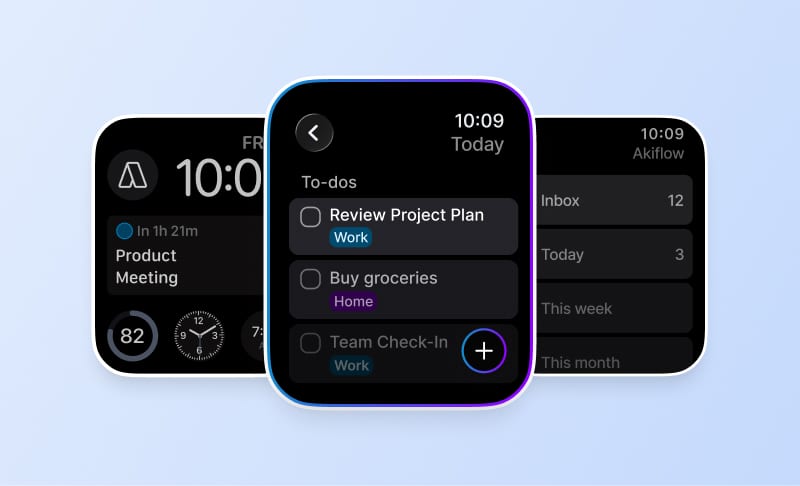
Allen does not specify the right tool or app in his method. In fact, your external brain could be analog or digital as long as it works for you. But I must add that Akiflow, the app I’m building with my team, makes implementing GTD much easier. It’s a flexible tool that helps you tackle the hardest tasks while being easy enough to navigate.
Takeaway
I’ve outlined just a few of the most significant components of GTD, but this is by no means an exhaustive list. However, this brief walkthrough of the GTD method can help you get started with tracking your goals and ultimately gives you a sense of control over your tasks and your schedule.
I wish you luck as you set out on your productivity journey!
Frequently Asked Questions
What should go into a GTD capture inbox?
Record ideas, tasks, projects and commitments you need or want to act on. The inbox is an external place to collect those items before processing them, rather than trying to remember everything. Paper or a digital list can work; the article does not require a particular app for the method.
How do you process an item after capturing it?
Ask whether the item is actionable and turn it into a concrete task if it is. If it is not actionable now, decide whether to discard it, retain it as reference material or put it on a someday/maybe list. Processing gives each captured idea a place instead of leaving everything together in the inbox.
How does the article suggest organizing GTD actions?
Use categories that reflect how the work will be done. Group work requiring multiple steps into projects; use time-related lists for deadlines and items waiting on someone else. Context-based lists group actions with something in common, such as people you need to contact. Consider the next action as you label and arrange the work.
What should you check during a GTD review?
Examine your lists, update priorities and make changes where the work has moved on. The article suggests a weekly review and a monthly look at progress toward goals. It also recommends trigger words, such as a colleague’s name or a file, to prompt you to capture items you may have left out.
What happens in the engage step of GTD?
Engage is the point where you act on the work you have captured, processed and organized. The preceding steps prepare your lists; regular reviews keep them current. The article leaves the tool choice open, so an analog or digital system is suitable as long as it works for your way of managing tasks.