Airtable vs ClickUp: Which Project Management Tool Is Best in 2026?

8
Choosing the right work and project management tool matters for teams as work becomes more complex and collaboration demands rise. In 2025, studies found that 77 percent of high performing projects use dedicated project management software, highlighting how central these tools are to successful outcomes.
Airtable and ClickUp are two of the most talked about platforms in this space. Airtable focuses on a flexible, database approach that lets teams organize information in custom ways. ClickUp offers a comprehensive task and project management experience with built‑in views, dashboards, and collaboration tools.
Because these platforms take different approaches, comparing Airtable and ClickUp helps decision makers find the right fit for their workflows, team structure, and goals. In this article, we will explore their core differences, feature comparisons, common use cases, pricing, and practical recommendations to help you decide which platform works best for your team.
Key Takeaways
Choose Airtable if you want to design flexible workflows, organize complex data, and build custom tools without code.
Choose ClickUp if your team needs structured task management, built-in collaboration, and scalable project visibility.
Airtable empowers marketing, operations, and creative teams to manage campaigns, track assets, and streamline internal processes.
ClickUp helps product and cross-functional teams stay aligned through sprints, docs, goals, and project tracking in one place.
If you’re managing growing teams or multiple workflows, ClickUp offers more features at lower tiers, making it more cost-effective early on.
Airtable works best when your work is data-first, while ClickUp fits teams that operate task-first.
Many teams benefit from using both tools together, with Airtable handling data and ClickUp driving execution.
Use a tool like Akiflow to bring Airtable and ClickUp tasks into a single daily view, helping you plan with clarity and avoid scattered focus.
What Airtable and ClickUp Are (and Why They Get Compared)
At a glance, Airtable and ClickUp might look like they serve the same purpose, but under the surface, they solve very different problems.
Airtable is often described as a no-code database or a smart spreadsheet, but it’s better understood as a tool that gives teams control over how data is structured, connected, and visualized. It’s not just about tracking tasks, it’s about building custom workflows around the information that matters most to your team. Whether it’s managing content calendars, product inventories, or research pipelines, Airtable adapts to non-linear processes in a way traditional project management tools often can’t.
ClickUp, on the other hand, is built to standardize how teams manage work, with everything from task lists and timelines to docs, chat, and dashboards in one place. It prioritizes visibility and accountability across structured projects, helping teams track progress from high-level strategy to daily execution. For teams that want a centralized system with built-in collaboration, ClickUp brings the entire workflow under one roof.
They often get compared not because they serve the same function, but because both aim to bring order to complex work. Airtable gives you the building blocks to design your own system, while ClickUp offers a pre-built system with configurable layers. Which one works better depends on how much structure your team needs out of the box and how much you’re willing to customize.
Core Differences Between Airtable and ClickUp
While both Airtable and ClickUp help teams manage work, they are designed around very different philosophies. Understanding where they diverge helps clarify which one is a better fit for your team’s needs.
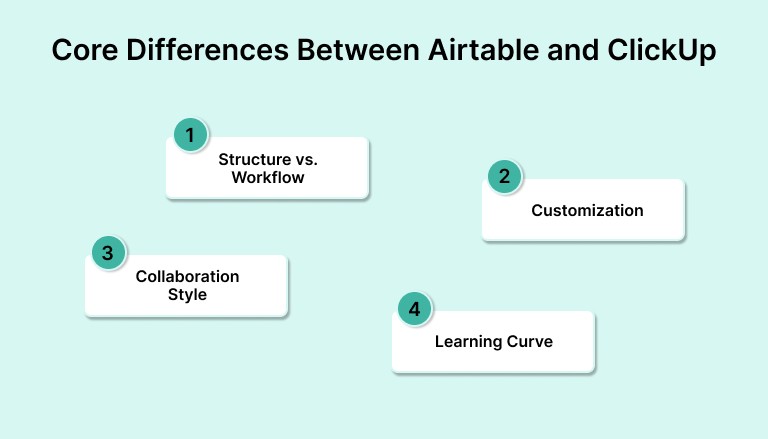
1. Structure vs. Workflow
Airtable is built around structured data. You create tables, link records, and customize fields to match your workflow. It behaves more like a flexible database than a traditional project management app. You define how work is organized.
ClickUp, by contrast, starts with tasks and projects. It provides ready-to-use frameworks for lists, boards, timelines, and dashboards. The workflow is more structured from the start, with task relationships and priorities built in.
2. Customization
Airtable offers deep customization for teams that want to model their own processes. You can build apps, automate workflows, and design interfaces tailored to your use case. It’s ideal if your work doesn’t fit into a one-size-fits-all structure.
ClickUp offers a wide range of customization, but within its task-based model. You can add custom fields, views, and automations, but you’re still operating within a task-first system.
3. Collaboration Style
ClickUp has built-in chat, comments, docs, and whiteboards, making it easier for teams to collaborate in real time without leaving the platform. It’s more communication-heavy.
Airtable supports collaboration through shared bases, comments, and permissions, but it often works best alongside tools like Slack or Teams. It’s more about shared data than direct conversation.
4. Learning Curve
Airtable is easy to get started with if you’re familiar with spreadsheets, but mastering advanced features like linked records or formulas takes time.
ClickUp can feel overwhelming at first due to the sheer number of features, but it’s more guided once you’re inside the platform. There are built-in templates and onboarding flows to help teams ramp up.
Also read: Akiflow vs ClickUp Comparison: A Side-by-Side Look at Pricing, Planning, and More
Airtable vs ClickUp: Feature Comparison
While Airtable and ClickUp both aim to help teams manage work, they do so with very different strengths. This side-by-side feature breakdown will help you quickly see which platform aligns better with your workflow and team structure.
Feature | Airtable | ClickUp |
Project & Task Management | Basic task tracking | Full project management with tasks, subtasks, dependencies |
Database Functionality | Relational database structure | Limited table-based views only |
Custom Workflows | Highly customizable | Customizable within task-based system |
Views (List, Board, Calendar) | Grid, Kanban, Calendar, Gallery | List, Board, Calendar, Timeline, Gantt |
Collaboration Tools | Comments, shared views | Built-in chat, docs, comments, whiteboards |
Automations | Available with limits on lower tiers | Advanced automations across all plans |
Templates | Community and custom templates | Built-in and use-case-specific templates |
Integrations | Native and third-party (Zapier, Make) | Extensive native integrations + API |
Mobile App | Yes | Yes |
Free Plan | Yes, limited records and automations | Yes, generous feature access |
Must read: How to Manage Multiple Projects: 6 Tools You Need in 2025
Recently added to Akiflow
Meeting Assistant: Akiflow’s Meeting Assistant records, transcribes, and summarizes your calls, then surfaces the follow-ups and decisions so nothing gets lost.
MCP (AI integration): Through MCP, Akiflow plugs into AI assistants like Claude and ChatGPT, letting you create and manage tasks, meetings, and deadlines from your favorite AI tool.
AI Workflows: Browse and apply community-built AI Workflows in Akiflow to automate how you plan, capture, and organize work.
Universal Inbox: Akiflow’s Universal Inbox gathers tasks and messages from Gmail, Slack, Notion, Asana and other tools into one view, and turns emails into tasks in a click.
Airtable vs ClickUp: Pricing Comparison (2026)
Understanding how each platform prices its features can help you avoid unexpected limits as your team grows.
Plan | Airtable | ClickUp |
Free | 1,000 records per base100 automations/monthLimited views | Unlimited tasks100 uses of select featuresBasic views |
Team | $20/user/monthMore automationsGantt view access | $10/user/monthUnlimited integrationsCustom fields |
Business | $45/user/monthSynced tablesInterface Designer | $19/user/monthWorkload, goals, timelinesAdvanced automations |
Enterprise | Custom pricingAdmin toolsAdvanced security | Custom pricingSSOPriority support and admin tools |
Key Differences:
Airtable scales based on data size and structure. Great for teams managing records, linked data, or content pipelines.
ClickUp is feature-rich at lower tiers, especially for teams focused on projects, collaboration, and day-to-day execution.
Airtable vs ClickUp: Best Use Cases by Team Type
Both Airtable and ClickUp can support a wide range of teams, but they shine in different environments. Here’s a quick breakdown of which tool fits best based on how your team works.
Team Type | Best Fit | Why |
Marketing Teams | Airtable | Flexible content calendars, campaign tracking, asset databases |
Product Teams | ClickUp | Task dependencies, sprints, roadmaps, and cross-functional collaboration |
Operations Teams | Airtable | Custom databases for inventory, internal processes, and resource tracking |
Agencies | ClickUp | Client project tracking, docs, timelines, and team communication |
Startups | ClickUp | Fast setup for project planning, docs, and team-wide visibility |
Research or Data Teams | Airtable | Relational data, tagging, filters, and custom fields |
Remote Teams | ClickUp | Built-in chat, docs, whiteboards, and async task visibility |
When to Choose Airtable
Airtable is the better fit when your team needs flexibility in how data is structured, visualized, and connected. If your work isn’t centered around traditional tasks, such as editorial calendars, inventory logs, or applicant tracking, Airtable lets you build exactly what you need.
It also stands out when your team prefers to work from a spreadsheet-like interface with relational capabilities and automations layered on top.
Best for:
Nonlinear workflows and internal tools
Use cases like content planning, inventory management, and creative operations
Teams that want to build custom apps without writing code
When to Choose ClickUp
ClickUp makes sense when your work revolves around structured task management and collaboration. It handles day-to-day execution and long-term planning in one place, ideal for teams managing multiple priorities, stakeholders, or deadlines.
Since it includes chat, docs, goals, dashboards, and whiteboards, it’s especially useful if you want everything in one workspace without switching between tools.
Best for:
Structured task tracking, sprints, and team coordination
Use cases like product development, client delivery, and agile project management
Teams looking to scale without buying multiple tools
Final Thoughts
Choosing between Airtable and ClickUp isn’t about which platform has more features — it’s about which one fits the way your team works. Airtable gives you the freedom to structure data and workflows your own way. ClickUp gives you built-in structure to manage tasks, projects, and collaboration in one place.
Some teams need flexibility. Others need control. Many end up using both to handle different parts of their workflow.
But whether you choose Airtable, ClickUp, or a mix of both, what matters most is how well your calendar, tasks, and priorities come together in your day-to-day work. That’s where tools like Akiflow can help. Akiflow connects to both Airtable and ClickUp, bringing your tasks and meetings into one clear daily plan; so you’re not just busy, you’re focused.
If your work feels scattered across too many tabs, it might be time to bring everything into one place. You can explore how Akiflow helps you plan your day with clarity at akiflow.com. Try Akiflow for free!
FAQs
Q: What is the difference between ClickUp and Airtable?
A: ClickUp is a task and project management platform built for structured planning, collaboration, and execution. Airtable is more like a flexible database that lets teams organize and view information in custom ways.
Q: What is Airtable mostly used for?
A: Airtable is commonly used for content calendars, asset tracking, inventory management, and internal tools. It’s ideal when you need to manage structured data with flexible views like grids, calendars, or galleries.
Q: What is Airtable comparable to?
A: Airtable is often compared to tools like Notion, Google Sheets, or Smartsheet, but with more database functionality. It combines the familiarity of a spreadsheet with the power of a lightweight app builder.
Q: Do people still use Airtable?
A: Yes, Airtable continues to be widely used across marketing, operations, and product teams. In 2025, it remained one of the top low-code platforms for building custom workflows.
Q: Does Airtable integrate with ClickUp?
A: Airtable and ClickUp do not have a native integration, but you can connect them using tools like Zapier, Make, or Unito. This allows you to sync tasks, records, and updates between the two platforms.


