Best Apps That Combine Calendar + To-Do List (2026)

9

Summary
Akiflow is the best overall calendar and to-do list app for professionals who need to collect work from several tools and turn it into a realistic schedule.
Sunsama is best for a guided planning ritual, while Motion is best for people who want software to rebuild the schedule automatically.
Morgen suits complex calendar setups, and Todoist remains the strongest lightweight choice when fast task capture matters more than a full planning command center.
What are the best apps that combine calendar and to do list in 2026?
The five best apps that combine a calendar and to-do list in 2026 are Akiflow, Sunsama, Motion, Morgen, and Todoist. Akiflow is our best overall pick because it puts tasks from multiple work tools beside the calendars that determine when those tasks can actually happen, without forcing the user to surrender control of the schedule.
This ranking was checked on July 27, 2026. It is deliberately short. A product earned a place only if it handles both sides of the job: remembering work and making time for it. We looked at capture speed, calendar visibility, time blocking, integrations, rescheduling, mobile and desktop access, and the amount of daily maintenance each system creates.
The products are not interchangeable. Akiflow is a consolidation tool for a busy work stack. Sunsama is a guided daily planner. Motion is an automatic scheduler with a broader work platform around it. Morgen is strongest when several calendars and task sources need one planning layer. Todoist is still primarily a task manager, but its calendar layout now makes it a credible lighter option.
The ranking also separates calendar display from calendar planning. Many task managers can show due dates in a monthly grid, but that does not prove they can reserve realistic durations, expose conflicts with meetings, or recover unfinished work. Each recommendation was evaluated as a complete loop: capture a commitment, clarify it, decide when it belongs, reserve capacity, respond to a disruption, and find the task again afterward. Products that handle only the first or last step are useful task managers, but they are not complete daily planning systems. We also considered the cost of keeping the system accurate. A planner that needs duplicate tasks, frequent manual synchronization, or constant correction can create more administration than it removes. The best products preserve a clear source for each commitment and make calendar placement a planning decision rather than a decorative second view.
The five best calendar and to-do list apps at a glance
Akiflow
Best for: Consolidating work and planning it on a calendar
Planning model: User controlled with AI assistance
Current price signal: $19 yearly or $34 monthly
Main limitation: Too expensive for a simple checklist
Sunsama
Best for: A guided and realistic daily planning ritual
Planning model: Deliberate manual planning
Current price signal: $17 yearly or $22 monthly
Main limitation: The ritual can feel slow
Motion
Best for: Automatically rebuilding a busy schedule
Planning model: High automation
Current price signal: $19 yearly for Pro AI
Main limitation: Less direct control over changes
Morgen
Best for: Planning across several calendar accounts
Planning model: Calendar first with AI support
Current price signal: $15 yearly or $30 monthly
Main limitation: Less focused on universal task intake
Todoist
Best for: Fast capture with a lighter calendar layer
Planning model: Task first manual planning
Current price signal: Free plan and paid upgrades
Main limitation: Not a full planning command center
1. Akiflow is the best overall choice
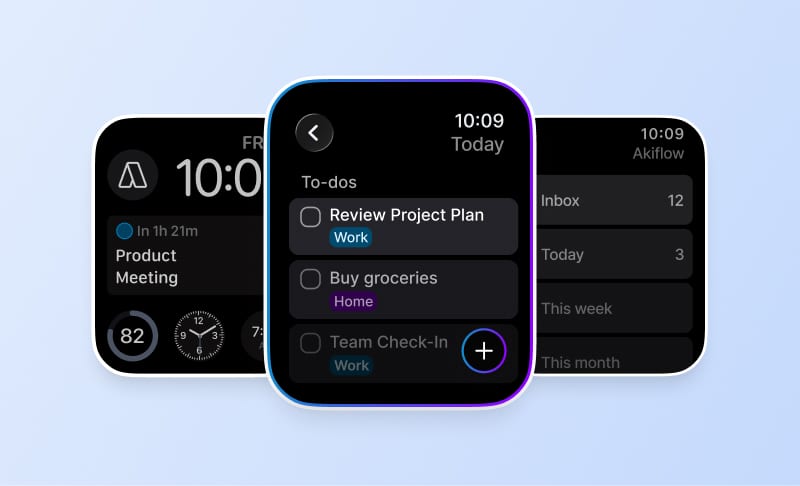
Akiflow is the best choice for people whose tasks arrive from more places than one list can comfortably hold. Its Universal Inbox collects work from connected tools, while the calendar, time blocking, quick capture, keyboard shortcuts, and daily planning ritual turn that incoming work into a plan the user can see and adjust.
The distinction is important. A normal calendar integration can display due dates, but it does not necessarily help someone decide what deserves Tuesday at 10:00. In Akiflow, a task from email, Slack, Notion, Todoist, or a project tool can enter the inbox, keep a link to its source, and then be scheduled beside fixed meetings. That makes the calendar a decision surface rather than a second database.
Akiflow also leaves the final scheduling judgment with the user. Aki can help create tasks, organize work, and handle planning commands, but the experience is not built around silently rebuilding the entire day. That balance is particularly useful for founders, operators, consultants, and managers whose priorities change for reasons an algorithm may not understand. The related calendar and task integration guide explains the workflow in more depth.
The drawback is price. The current Akiflow plan is $34 per month or $19 per month billed yearly after a seven-day trial. That is difficult to justify for a simple personal checklist. It makes more sense when fragmented intake, calendar negotiation, and repeated context switching are already costing meaningful time each week.
The current product also offers smart time slots, automatic day and week planning, a Schedule Optimizer, Aki, and MCP connectivity. Those additions make planning assistance available without removing the direct manipulation that defines the workflow. A user can accept help, inspect the result, and still decide that a strategic task belongs in a protected morning block. The strongest trial is therefore not a clean empty calendar. It is a week containing imported requests, meetings, recurring routines, and one task whose priority depends on context rather than a simple deadline.
2. Sunsama is best for guided daily planning
Sunsama is the best choice for someone who wants planning to be a deliberate daily ritual. Its guided flow asks the user to review unfinished work, import tasks and meetings, estimate durations, check the planned workload, defer excess commitments, and then decide which tasks should be timeboxed on the calendar.
That sequence is more than interface polish. Sunsama compares planned task time with a workload threshold and shows whether the day is likely to run past the preferred shutdown time. Tasks can come from its backlog or connected systems such as Asana, Jira, Todoist, Gmail, and calendars. The result is a calmer plan built around capacity rather than an optimistic list.
The tradeoff is pace. People who enjoy the ritual often find it grounding; people who already know what they need to schedule may find the extra steps slow. Sunsama also asks the user to make most prioritization decisions rather than automatically resolving the calendar. Its current Pro plan is $17 per month billed yearly or $22 billed monthly, with a 14-day trial.
Capacity is the point of the ritual. Estimating a task and placing it beside fixed meetings can reveal that a seemingly reasonable list extends past the intended end of the day. The product asks the user to address that mismatch before execution begins, which is valuable for people whose core problem is chronic overcommitment. Buyers should test whether the daily process changes what they defer, not merely whether it feels calm. If the same overloaded list survives every planning session, the ritual is adding steps without improving the decision. The weekly review should show whether those deferrals become deliberate priorities or simply return as noise the next morning.
3. Motion is best for automatic scheduling
Motion is the strongest pick when the buyer wants the software to decide when flexible work should happen. Tasks carry priorities, deadlines, and durations; Motion places them around meetings and can replan the calendar as conditions change. That is a different promise from a manual time-blocking tool, and for the right user it removes real planning labor.
Motion now extends well beyond a personal calendar. Its Pro AI plan includes projects and tasks, calendar and meetings, docs, notes, integrations, an AI task planner, and apps across desktop and mobile. The breadth is useful for a small team that wants project execution and scheduling in the same system, rather than a planner sitting on top of several existing tools.
The limitation follows from the strength: the schedule can feel like the software's opinion of the day. Users who want to protect a particular block for strategic or personal reasons may prefer a planner where changes are more explicit. Motion's official pricing page lists Pro AI at $19 per seat per month on annual billing and Business AI at $29.
Automation shifts planning effort into task quality. The engine needs credible durations, deadlines, priorities, dependencies, work hours, and availability to produce a schedule that deserves trust. During a trial, enter one deep task, several short actions, and a hard deadline, then move a meeting across the planned work. Inspect which blocks move and whether the new order remains sensible. If users repeatedly correct the schedule, a faster manual planner may create less work. If the recalculated calendar remains credible, automatic placement can save meaningful time every week.
4. Morgen is best for multiple calendars
Morgen is the best fit when calendar fragmentation is the central problem. It brings Google, Outlook, iCloud, Fastmail, and other calendar accounts into one view, connects task systems such as Todoist, Notion, Linear, ClickUp, and Google Tasks, and supports time blocking with its AI Planner across desktop, mobile, browser, and Linux.
This makes Morgen attractive to consultants, agency owners, and anyone managing separate personal, client, and company calendars. The planning layer can show conflicts across those accounts, while scheduling links and a booking page reduce the need for a separate meeting tool. It provides more calendar breadth than a task manager with one calendar view bolted on.
Morgen is less compelling when the main pain is rapid capture from messages and work apps. It connects many task sources, but Akiflow offers a more pronounced inbox-to-calendar workflow. Morgen's individual plan is $30 billed monthly or $15 per month billed yearly. That pricing makes it a strong value when cross-calendar planning is the actual requirement.
Account breadth matters when availability is fragmented. A consultant may have a company Microsoft calendar, two client Google calendars, and a personal iCloud calendar that must influence booking without exposing private details. The useful test is whether those accounts can be viewed, protected, and edited with predictable synchronization. Add one task source and create a booking link, then verify how conflicts and updates travel. Morgen earns its place when it prevents separate calendars from producing a false picture of capacity, not simply because it can display many accounts. Privacy and visibility rules deserve special attention in this scenario. Confirm which event details are copied, which calendars determine availability, and whether a private block is protected without exposing its title. A unified view is only useful when account boundaries remain trustworthy.
5. Todoist is best for lightweight capture
Todoist is the best lightweight option for people who primarily need an excellent task manager and only occasionally plan work on a calendar. Quick Add, natural-language dates, recurring tasks, priorities, filters, and broad platform support make capture unusually fast. The Pro calendar layout adds enough visual planning for many personal and small-team workflows.
In calendar layout, a user can drag an all-day task into a time slot and resize it to set a duration. Todoist also syncs with Google Calendar and supports reminders and deadlines on paid plans. This is a meaningful improvement over a list-only setup, especially for someone who wants one familiar app rather than a dedicated daily planning system.
Todoist still behaves like a task manager first. Its task duration documentation notes that start dates are not supported, and it does not provide the same universal intake and calendar review workflow as Akiflow. Choose it when simplicity is an advantage, not when work is already scattered across several operational tools.
The lighter model can be an advantage when most work already belongs in one task database. Users can keep projects, filters, recurring actions, and priorities together, then place only focus-heavy tasks on the calendar. This avoids turning every quick action into a rigid time block. The limitation appears when commitments arrive through several external systems or when frequent meeting changes require systematic schedule repair. In those cases, the user may spend more time copying and reconciling work than the lower subscription price saves. A useful setup rule is to schedule work that needs protected attention and leave flexible actions in a filtered list. Then test an overdue recurring task and a moved calendar block. The result should stay understandable without creating a duplicate task or requiring the user to remember which surface contains the current date.
How should you choose between these five apps?
Choose by identifying which decision is currently expensive. Pick Akiflow when work arrives from several tools and you want to decide the schedule quickly. Pick Sunsama when overcommitment and an inconsistent planning habit are the problems. Pick Motion when choosing times is the burden you want to delegate. Pick Morgen when multiple calendars create the confusion. Pick Todoist when capture is the main need.
Then test the product with a normal, imperfect week. Connect the calendars that really control your availability, bring in ten active tasks, schedule three important pieces of work, and allow a meeting to move. The useful question is not whether the first plan looks clean. It is whether the app makes the second plan obvious after the first one breaks.
Pay attention to maintenance. Count how many times work must be copied, how often a date and a calendar block disagree, and whether unfinished tasks are easy to recover. A premium planner should reduce those decisions, not decorate them. Readers who want to compare planning styles more broadly can use this daily planning app guide as the next step.
Finish the trial with numbers. Record daily planning minutes, schedule-correction minutes, the number of tasks copied between tools, and how many commitments disappear from view after a change. Also count calendar blocks that repeatedly move without completion. Those measures reveal whether the product reduces planning labor or merely redistributes it. The best choice should make capacity more accurate, keep the source of every commitment understandable, and produce a clear next decision when the day breaks. Interface preference matters, but maintenance and recovery determine whether the system survives beyond the first month. Finally, review the week from both desktop and mobile. Capture often happens away from the desk, while detailed planning happens on a larger screen. A product that is excellent on one device and unreliable on the other may still break the loop at the moment an important commitment arrives.
Frequently asked questions
What is the best app that combines a calendar and to-do list?
Akiflow is the best overall choice for professionals who need tasks, calendars, integrations, and time blocking in one place. Sunsama is better for a guided ritual, Motion for automatic scheduling, Morgen for multiple calendars, and Todoist for a lighter task-first workflow.
Is Akiflow better than Sunsama?
Akiflow is better when fast capture, connected task sources, keyboard control, and direct calendar execution matter most. Sunsama is better when the user wants a slower guided planning process that checks workload and encourages deliberate shutdown. Both are manual-first planners, but they create very different daily rhythms.
Is Motion better than Akiflow for scheduling?
Motion is better if automatic rescheduling is the main reason for buying the app. Akiflow is better if the user wants to collect work from several tools, see it beside the calendar, and retain control over what moves. The choice is between delegated scheduling and faster human-directed planning.
Can Todoist replace a dedicated daily planner?
Todoist can replace a dedicated planner when task capture, due dates, reminders, and occasional calendar blocking cover the workflow. It becomes less complete when the user needs one inbox for several work tools, a structured planning ritual, or frequent recovery from meeting-heavy days.
How should I test a calendar and to-do list app?
Use one representative week with real calendars, ten active tasks, recurring work, and at least one meeting change. Measure capture time, daily planning time, schedule repair, and whether completion updates the source system. The app should make unfinished work easy to recover and should reduce copying between lists and calendars rather than creating another record to maintain.