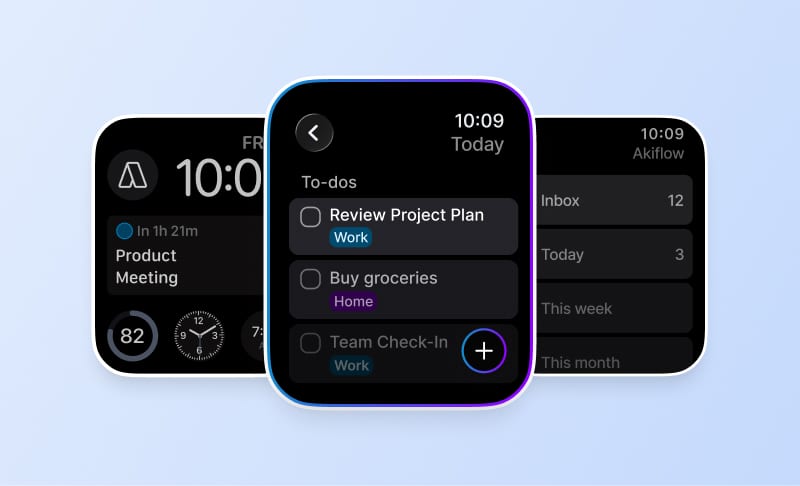
Summary
Choose the tasks with the greatest impact on your goals, then reserve your strongest focus windows for that work before filling the day with smaller tasks.
Separate focused work, meetings and administration into calendar blocks. Include breaks and buffer time so an overrun does not require packing more into an already full schedule.
End the day by reviewing completed work, rescheduling or delegating unfinished tasks, and choosing tomorrow’s priorities. Adapt the example timetable to your own energy and commitments.
Many of us have experienced the feeling: your day is packed, your to-do list is growing, and by the time you look back in the evening, it feels like you’ve barely made progress. You didn’t need more hours; you needed better use of the hours you already had.
Creating the most productive work schedule for your day is one of the most effective ways to boost productivity. It’s not about squeezing in extra time but organizing the time you have. By improving how your day flows, you can reduce distractions, avoid burnout, and ensure that your most important tasks get done.
In this guide, you’ll learn how to design the most productive work schedule using practical daily scheduling strategies. These simple scheduling strategies can transform your day, making it easier to focus on what matters most and boosting your overall productivity.
Why You Need a Structured Daily Schedule?
A structured daily schedule helps prioritize your most important tasks and reduce decision fatigue. Without a clear plan, smaller tasks can eat up your day, and distractions can quickly derail your focus. When you don’t know what you’re supposed to be working on at any given time, it’s easy to lose momentum and waste precious hours.
When you follow a structured daily schedule, it helps you:
Focus on your most impactful work
Prevent distractions and interruptions
Organize tasks and responsibilities in a way that aligns with your goals
Reduce stress by having a clear plan of action
Having a daily schedule also helps you balance productive work, necessary breaks, and personal time, ultimately leading to increased productivity and well-being.
Also Read: What Is Workflow Automation Software and Why Teams Need It?
Steps to Boost Productivity in Your Daily Schedule
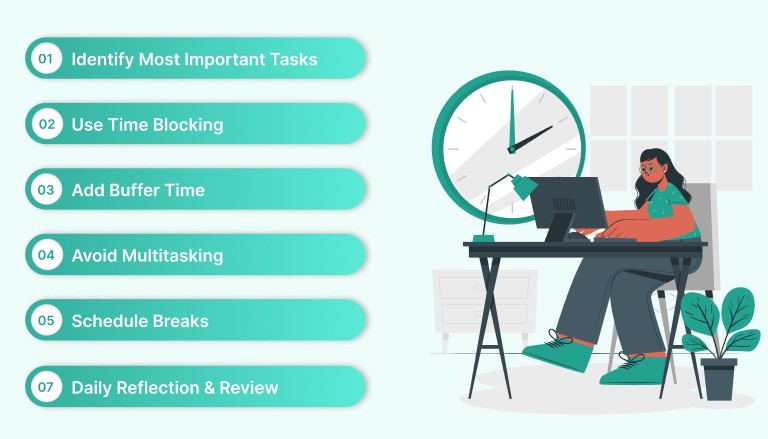
Creating a daily schedule that maximizes your productivity isn’t just about working harder; it’s about working smarter. The right structure can help you focus on your most important tasks, minimize distractions, and find more time for what matters.
Let’s explore practical steps you can take to boost your productivity and stay on track every day.
Step 1: Identify Your Most Important Tasks (MITs)
Before you can create a productive daily schedule, you need to identify your Most Important Tasks (MITs). These are the tasks that will have the most impact on your goals and the ones that deserve your highest level of focus.
Identifying your MITs ensures that your time goes toward high-impact work instead of getting consumed by lower-priority tasks.
How to Identify MITs
Make a list: Write down all the tasks you need to accomplish for the day or week.
Prioritize: From that list, identify the 3–5 tasks that will have the greatest impact on your objectives. These are your MITs.
Categorize: Categorize your tasks into important (MITs) and less urgent (smaller tasks that can be handled later or delegated).
Once you’ve identified your MITs, you can structure your day around completing these high-priority tasks first. This sets you up for success and makes it easier to stay on track throughout the day.
Step 2: Use Time Blocking for Focused Work
One of the most powerful productivity tools you can implement is time blocking. Time blocking is the practice of assigning fixed time blocks to specific tasks or types of work. This technique helps you stay focused by eliminating distractions and ensuring that you’re working on the right task at the right time.
Benefits of Time Blocking
Increased Focus: By dedicating time specifically to important tasks, you can work without interruptions.
Clear Boundaries: Time blocking helps you set boundaries between different types of work (e.g., meetings vs. focused work).
Better Work-Life Balance: By planning your work in advance, you can avoid overworking and create time for breaks and personal activities.
How to Implement Time Blocking?
Identify your focus times: Determine the time of day when you’re most productive (e.g., early mornings or late afternoons).
Block time for MITs: Schedule the most important tasks in your peak productivity windows.
Reserve time for shallow work: Set aside specific times for administrative tasks like answering emails, meetings, or quick calls.
Include break times: Plan for 10–15-minute breaks between blocks to recharge.
With Akiflow, you can drag tasks directly onto your calendar to turn them into scheduled time blocks.
Step 3: Build Buffer Times for Flexibility
While having a structured schedule is essential, it’s also important to allow for flexibility. Unexpected tasks, overrun meetings, or last-minute changes can throw off your day. By adding buffer times between blocks, you ensure that you have room to accommodate these disruptions without feeling stressed or overworked.
How to Add Buffer Time?
Schedule short breaks: Add 10–15-minute breaks between time blocks to recharge and prevent burnout.
Leave room for flexibility: After every deep work session, allocate 20 minutes to handle any unexpected tasks or to prepare for the next session.
Adjust for emergencies: If urgent tasks come up, use buffer time to reschedule less important tasks rather than overcrowding your calendar.
Buffer time ensures your schedule stays realistic and adaptable. and gives you the freedom to handle urgent matters while keeping your focus on your long-term priorities.
Step 4: Avoid Multitasking: Focus on One Task at a Time
Multitasking might seem productive, but research shows it reduces efficiency and increases errors due to constant context switching. When you try to juggle multiple tasks at once, your brain struggles to switch between them, leading to mistakes and wasted time. The key to productivity is focusing on one task at a time.
How to Avoid Multitasking?
Stick to one task per time block: During your scheduled time blocks, focus exclusively on the task at hand.
Limit distractions: Turn off notifications, close unnecessary tabs, and set your status to “Do Not Disturb” during deep work.
Prioritize your MITs: Focus on high-impact tasks first, then address smaller or less important tasks.
With Akiflow, you can stay organized and ensure that each task is scheduled at the right time, helping you maintain focus and eliminate distractions.
Step 5: Prioritize Breaks and Downtime
A productive day isn’t just about working non-stop; it’s also about ensuring you give your mind and body time to rest and recharge. Taking regular breaks helps improve concentration, creativity, and overall productivity.
How to Schedule Breaks?
Include short breaks: Plan 10–15 minute breaks between time blocks to stretch, grab a coffee, or take a quick walk.
Lunch breaks: Schedule at least 30 minutes to an hour to step away from work and take a proper lunch break.
Use longer breaks to recharge: Take at least 30 minutes off during the afternoon, especially if you feel fatigued.
Taking regular breaks boosts productivity by preventing burnout and keeping you refreshed throughout the day.
Step 6: Reflect and Review at the End of Each Day
At the end of each day, spend a few minutes reviewing your progress. This reflection period helps you understand what worked, what didn’t, and how to improve tomorrow’s schedule. It also provides closure, allowing you to rest easy and start the next day with clarity.
How to Reflect and Review?
Assess completed tasks: Check off completed tasks and celebrate your progress.
Move unfinished tasks: Reschedule them for the next day or delegate them if needed.
Set priorities for tomorrow: Identify the 1–3 most important tasks you need to accomplish the next day.
Read Also: Daily Work Management: Steps to Plan and Control Your Day
Most Productive Work Schedule: A Template to Follow
Creating a daily schedule that maximizes your productivity isn’t just about working harder; it’s about working smarter. The right structure can help you focus on your most important tasks, minimize distractions, and find more time for what matters.
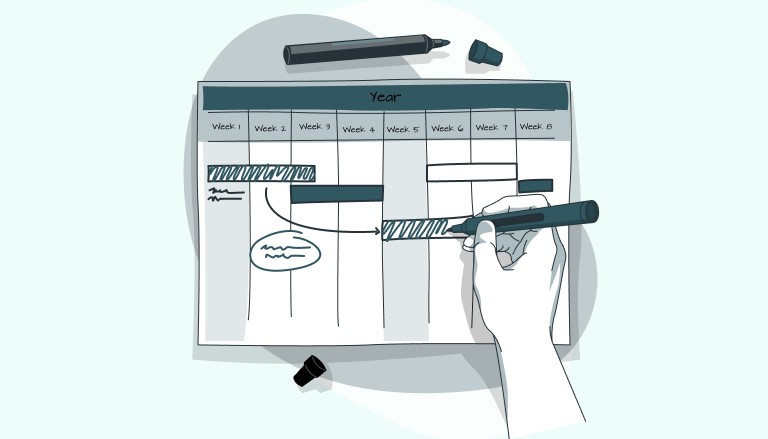
Below is a simple, customizable template to help you allocate time effectively across your workday:
6:00 AM - 7:00 AM: Morning Routine & Preparation
Wake up, exercise, meditate, or enjoy a healthy breakfast
Review your to-do list and priorities for the day
Set intentions and visualize goals for the day
7:00 AM - 9:00 AM: Deep Work Block
Focus on high-priority tasks or complex work that requires your best mental energy (e.g., project work, writing, analysis)
9:00 AM - 9:15 AM: Short Break
Take a 15-minute break to recharge: stretch, walk, or grab a snack
9:15 AM - 12:00 PM: Focused Work Block
Continue with critical tasks, meetings, or creative work (keep distractions to a minimum)
Schedule this time for deep work or strategic thinking
12:00 PM - 1:00 PM: Lunch Break
Disconnect from work, enjoy a nutritious meal, and relax
1:00 PM - 3:00 PM: Collaborative Work / Meetings
Schedule meetings, team discussions, or collaborative brainstorming sessions
3:00 PM - 3:15 PM: Short Break
Take a quick break to refresh before moving into the next block of work
3:15 PM - 5:00 PM: Shallow Work / Admin Tasks
Respond to emails, handle quick administrative tasks, or catch up on communications
These tasks don’t require intense focus, but need to be completed by the end of the day
5:00 PM - 5:30 PM: Review & Plan for Tomorrow
Wrap up the day by reviewing what you’ve accomplished
Set your top 3 priorities for tomorrow and adjust your schedule as needed
5:30 PM onwards: Personal Time & Rest
Use this time for personal errands, relaxation, family time, or self-care
How Tools Can Help You Implement a Productive Daily Schedule?
Tools like Akiflow help organize tasks and calendars in one place, making it easier to build and maintain a productive daily schedule. With features that integrate your calendar and task list, it lets you seamlessly implement time blocking, prioritize your tasks, and review your schedule without friction.
Centralized tasks and calendar: View both your calendar and to-dos in one place for a cohesive, organized day.
Time blocking made easy: Drag and drop tasks onto your calendar to ensure focused, uninterrupted work.
Daily reviews and adjustments: Use Akiflow to review your day, adjust unfinished tasks, and stay aligned with your priorities.
Conclusion
The most productive work schedule is one that aligns your priorities, focus time, and energy throughout the day. By identifying your MITs, using time blocking, allowing buffer times, and ensuring regular breaks, you can turn your day into a productive, focused experience.
Tools like Akiflow help you organize tasks and calendar events in one place, making scheduling simple and intuitive.
Start implementing these steps today and take control of your productivity with a structured daily schedule that works for you. Try Akiflow for free to centralize your tasks and schedule for maximum efficiency.
Frequently Asked Questions
How do you choose the most important tasks for the day?
List the work you need to do, then identify the tasks with the greatest impact on your objectives. The article suggests three to five as a starting point, not a requirement to fill every slot. Schedule those priorities deliberately and consider which smaller tasks can wait or be delegated.
Do you need to follow the example schedule’s exact hours?
No. The timetable is a customizable example, not a requirement to start work at 7 a.m. Identify when you tend to focus best and use those windows for demanding tasks. Arrange meetings, administration, breaks and personal time around your actual commitments, then adjust the schedule after reviewing how the day went.
What is the difference between a break and buffer time?
A break is time away from work, such as a walk, lunch or a short pause between sessions. Buffer time leaves capacity for overruns, preparation or unexpected tasks. Plan room for both rather than booking every minute, and reschedule lower-priority work when an urgent task would otherwise overcrowd the day.
How can you stay with one task during a focus block?
Choose one task for the block and limit avoidable interruptions before starting. Turn off notifications, close unnecessary tabs and use Do Not Disturb when appropriate. Put routine emails and quick calls into their own scheduled windows, so they are not competing with the task you reserved that time to do.
What should you do with unfinished tasks at the end of the day?
Review what you completed, then decide which unfinished tasks to reschedule or delegate. Choose the next day’s most important priorities and adjust the calendar accordingly. This review should inform tomorrow’s plan rather than automatically adding every unfinished item to an already full schedule without considering the time available.