
Summary
Productivity breaks down when tasks, time, and communication are scattered, so your day fills with meetings, context switching, and activity that feels busy without producing meaningful progress.
Centralizing tasks and calendars into one view, then assigning each task a time block, creates realistic schedules, reduces forgotten work, and gives important work uninterrupted space on your day.
Start with small moves this week: a 10-minute morning plan, meetings with outcome statements and buffers, recurring deep-work blocks, and lightweight team rituals that keep priorities visible without constant pings.
Despite unprecedented technological advancement, many professionals feel less productive than ever, overwhelmed by tools that fragment focus instead of supporting it. The constant flow of notifications and tools can break our focus, leaving us overwhelmed rather than empowered.
The problem lies in the disconnect between daily tasks and meaningful outcomes. When we let our work and time be scattered across different platforms, we fall into the “busy trap”, staying active but not making meaningful progress.
This guide shares practical workplace hacks to unify your tools, protect focus through time blocking, and create simple routines that keep teams aligned.
Why Productivity Still Fails in Modern Workplaces?
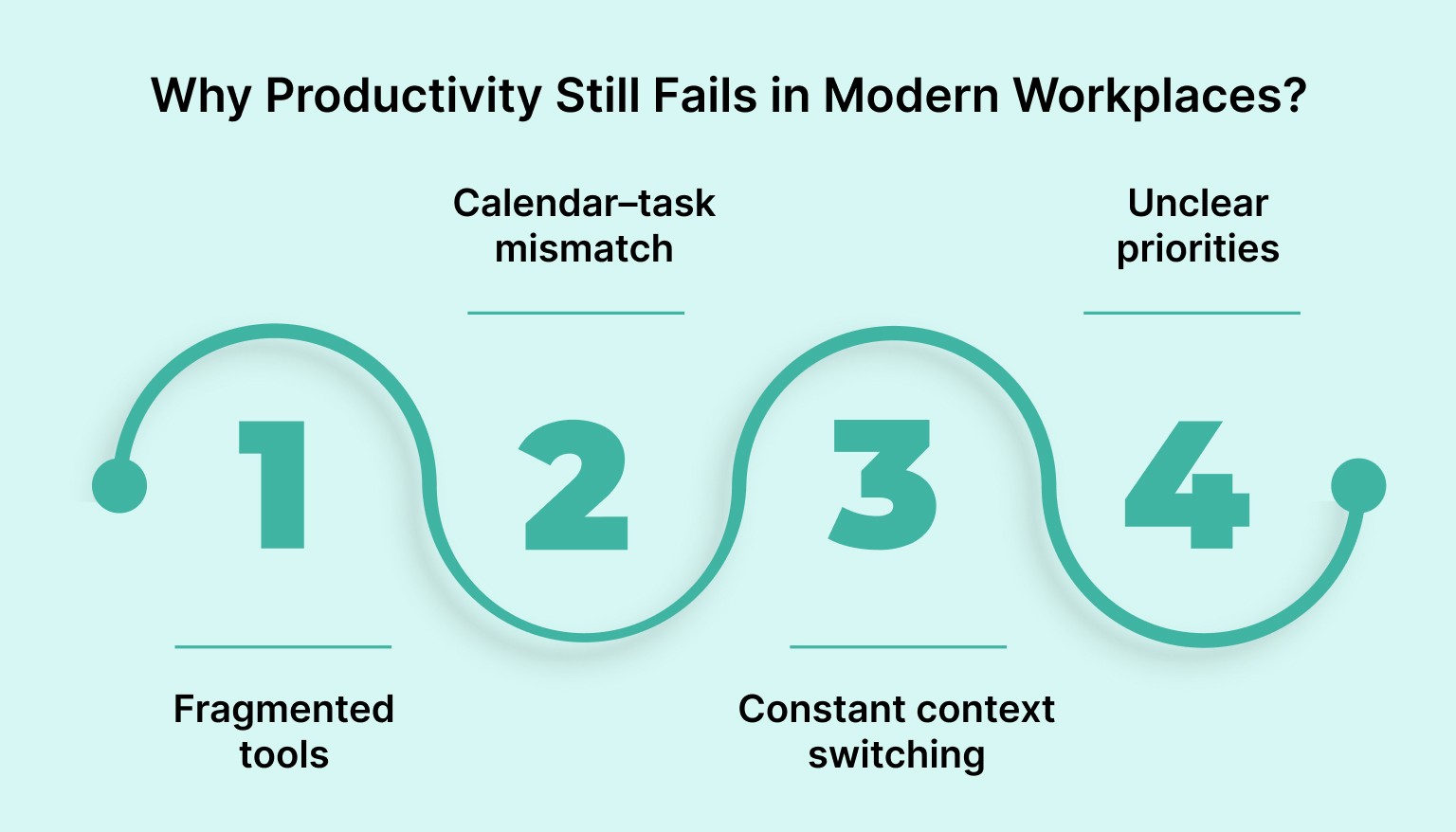
Despite advanced tools and flexible work models, productivity often suffers due to scattered systems, constant interruptions, unclear priorities, and overloaded calendars. When tasks and schedules live in different places, teams lose focus, waste time switching contexts, and struggle to execute meaningful work efficiently.
Here is a clear explanation of the most common workplace productivity problems:
1. Fragmented tools
Work is spread across many apps, including email, chat, task managers, notes, and calendars. Because nothing lives in one place, people forget tasks, duplicate work, and spend unnecessary time switching between tools just to understand what needs to be done.
2. Calendar–task mismatch
Tasks exist in to-do lists while time exists on the calendar. When tasks are not assigned specific time slots, days get filled with meetings, leaving no space for real work. This gap causes unrealistic plans and constant spillover.
3. Constant context switching
Jumping between emails, messages, meetings, and tasks breaks concentration. Every switch forces the brain to refocus, reducing the quality of deep work and increasing mental fatigue. Even short interruptions can significantly lower productivity.
4. Unclear priorities
Without a clear system to define what matters most, everything feels urgent. People respond to incoming requests rather than working on high-impact tasks, leading to busy days with little meaningful progress.
Also Read: Why an All-in-One Digital Planner Works Better Than Multiple Apps
The Core Framework for Efficient Performance
Efficient workplace productivity depends on more than working harder. It requires a structured system that connects tasks with time, protects focus, and minimizes distractions. This framework helps professionals plan intentionally, execute with clarity, and maintain consistent performance without burnout.
This is the core framework for efficient performance:
Centralize Tasks and Calendar in One Place
When tasks and calendars exist in separate tools, planning becomes fragmented. Centralizing them allows you to see what needs to be done and when it will happen in a single view. This creates realistic schedules, reduces forgotten work, and speeds up and improves the reliability of daily planning.
To apply this, import tasks from all sources into a single inbox, review them daily, and assign each task a specific time slot on your calendar.
Reducing tool-switching starts with consolidating tasks and calendars into one view. Tools like Akiflow support this by bringing planning and execution together.
Time Blocking as the Backbone of Your Day
Time blocking turns intentions into execution. Instead of keeping tasks in endless lists, you reserve dedicated blocks of time for focused work, meetings, and personal activities.
Start by identifying one to two-hour focus blocks, assign clear objectives to each block, and protect them from interruptions. This approach prevents overbooking and ensures important work receives uninterrupted attention.
Reduce Context Switching With Inbox and Notification Rules
Constant notifications force the brain to repeatedly reset focus. This constant switching drains mental energy and slows progress, even when interruptions seem minor.
Set clear rules, such as checking email and messages only 2 or 3 times per day, snoozing non-urgent tasks, and muting unnecessary alerts. Fewer interruptions lead to deeper focus and faster completion of meaningful work.
Also Read: 7 Benefits of Task Management Software You Need to Know in 2026
Five Tactical Plays You Can Implement This Week
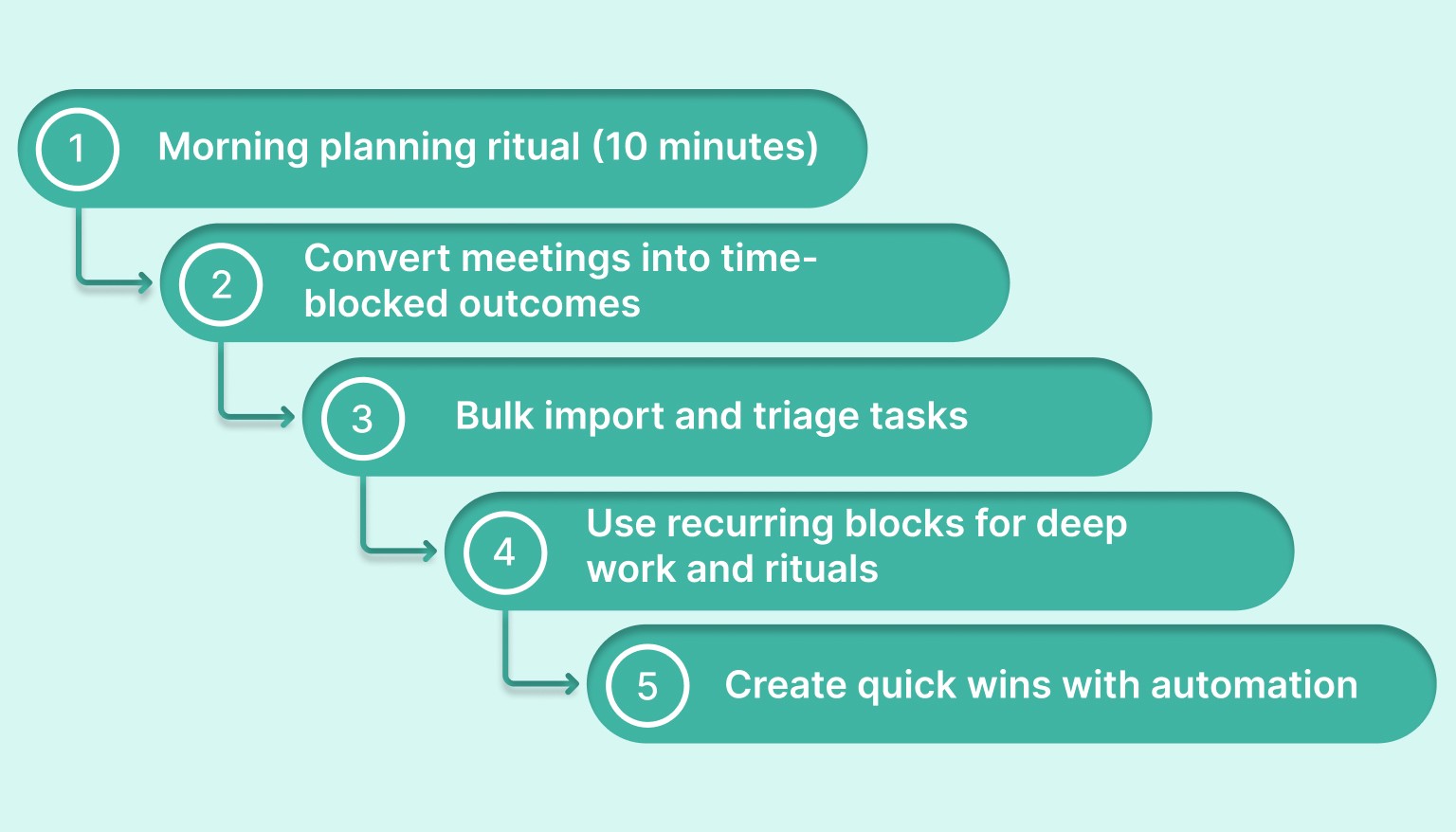
Improving workplace productivity does not require a full system overhaul. Small, intentional changes can quickly reduce chaos, create structure, and improve daily execution.
These five workplace hacks are easy to apply and deliver visible results within a single week.
1. Morning planning ritual (10 minutes)
Begin each day with a short planning ritual. Identify the top three outcomes that would make the day successful, then block dedicated time for each on your calendar. This creates clarity before distractions take over.
Quick action: Spend 10 minutes every morning selecting three priorities and assigning time slots.
2. Convert meetings into time-blocked outcomes
Meetings often expand without producing clear results. Assign every meeting a defined objective and include a 15-minute buffer afterward to capture decisions, tasks, and follow-ups.
Quick action: Add an outcome statement and buffer time to every meeting invite.
3. Bulk import and triage tasks
Tasks arrive from many places, such as email, chat tools, and notes. Collecting everything into a single universal inbox lets you review, prioritize, and schedule work intentionally rather than react throughout the day.
Quick action: Do a daily sweep of all task sources and plan them in a single session.
4. Use recurring blocks for deep work and rituals
High-value work often gets postponed when it has no protected time. Recurring blocks ensure space for deep focus, weekly planning, reviews, and learning without constant rescheduling.
Quick action: Create recurring calendar blocks for deep work and weekly rituals.
5. Create quick wins with automation
Repetitive actions drain time and attention. Using templates, command shortcuts, and simple automations reduces manual work and keeps workflows consistent.
Quick action: Identify one repeated task this week and automate or template it.
Here is the section written in a clean, blog-ready format that follows the checklist style and your instructions:
How Teams Stay Aligned Without Killing Focus
Strong collaboration should support productivity, not interrupt it. Teams perform best when everyone stays aligned on priorities and availability while still protecting time for focused work. Clear visibility and lightweight rituals help maintain communication without constant meetings or messages.
Best practices for team alignment include:
Shared schedule views: Allow teammates to see availability and planned focus time. This reduces unnecessary interruptions and speeds up scheduling while being more respectful, especially in workplaces with shared amenities, bookable spaces, or a keycard entry system.
Booking links for focused slots: Use shared booking links with predefined availability so meetings fit naturally around deep work blocks instead of disrupting them.
Weekly handoff notes: Provide a brief summary of priorities, blockers, and next steps. This keeps everyone informed without lengthy sync meetings.
You can follow the 10-minute daily team planning ritual:
Review top priorities for the day
Confirm deadlines and ownership
Flag potential conflicts or dependencies
Adjust schedules if priorities shift
End with one clear outcome: each person will deliver
This lightweight ritual keeps teams aligned, reduces miscommunication, and preserves uninterrupted focus time throughout the day.
How can a Productivity Tool Support These Practices?
A single productivity app that unifies tasks and calendars removes the friction of switching between tools. A unified inbox collects items from email, chat, and apps so you can triage everything in one place, then use drag-and-drop planning to assign each item to a real-time slot.
Protected time blocks help prevent schedules from being overwritten, while automation can assist with scheduling, follow-ups, and task organization.
Example workflow 1: Inbox sweep to protected focus
Start your day with a quick inbox sweep. Import items, triage them, and drag the top priorities into one or two-hour blocks on your calendar. Lock those slots, add a 10 to 15 minute buffer after each meeting block, and use snooze to defer low-priority items. This turns vague task lists into real-time commitments and prevents accidental overbooking.
Example workflow 2: Smart meeting scheduling and follow-up
When you need a meeting, use the AI assistant to propose times that respect protected focus blocks and include an outcome line in the invite. After the meeting, convert notes or decisions into actionable tasks and return them to your unified inbox for scheduling. This closes the loop from planning to execution and reduces the need for manual task creation.
Used consistently, these features reduce context switching, keep priorities visible, and make it easier to protect deep work. Try adopting a single workflow for a week to see how much time you save for meaningful work.
Conclusion
Sustained productivity is not the byproduct of frantic effort but the result of a disciplined system that bridges the gap between intention and action. By centralizing your workflow and rigorously protecting your cognitive focus, you transition from reactive busyness to intentional, high-impact execution that drives meaningful professional results.
Streamlining your workflow starts with reducing fragmentation between tasks and time. Tools like Akiflow support this by bringing tasks and calendars into one place. Visit Akiflow and start optimizing your professional performance today!
Frequently Asked Questions
How do I stop meetings from taking over my day?
Put tasks and time in the same system, then reserve one- to two-hour focus blocks before the calendar fills up. Give every meeting a defined objective and add a 15-minute buffer afterward to capture decisions and follow-ups. That keeps meetings bounded and protects space for real work instead of leaving you with unrealistic plans and spillover.
What should happen during a 10-minute morning planning ritual?
Choose the three outcomes that would make the day successful, then block time for each one on your calendar. Use that short session to decide what matters before distractions start arriving. The point is to create clarity early, so you work from planned priorities instead of reacting to whatever shows up first.
How often should I check email and messages without losing focus?
Set explicit rules instead of reacting all day. A practical starting point is checking email and messages only two or three times per day, snoozing non-urgent tasks, and muting unnecessary alerts. The goal is to reduce the repeated mental reset caused by interruptions while still handling communication in deliberate batches.
What does a unified inbox workflow look like in practice?
Start the day with an inbox sweep across email, chat, notes, and apps. Pull everything into one place, triage it in a single session, then place the top priorities into protected calendar blocks. Add short buffers after meetings and snooze lower-priority items. That turns vague task lists into scheduled commitments you can actually execute.
How can my team stay aligned without constant meetings?
Use visibility and short rituals instead of more interruptions. Shared schedule views show availability and planned focus time, booking links help meetings fit around deep work, and weekly handoff notes keep priorities, blockers, and next steps visible. A brief daily check can confirm ownership, deadlines, dependencies, and the one clear outcome each person will deliver.


