Summary
Move key work off a loose task list and onto your calendar so each priority has a set time, lowering decision fatigue and reducing reactive multitasking.
Start with a three-to-five-day audit, group work into four or five categories, schedule recurring meetings first, and save peak-energy hours for demanding deep work.
Make your calendar resilient by batching admin tasks, leaving daily buffer blocks, adding breaks, and spending 10 minutes each week adjusting what did and did not work.
The average professional loses nearly 80% of their workday to "context switching," a psychological phenomenon that destroys cognitive momentum and drains mental energy. We often mistake movement for progress, yet true productivity is found not in the length of a to-do list, but in the deliberate command of one’s limited hours.
Block scheduling shifts you from reactive task lists to intentional, time-based planning by deciding when work happens before the day begins. By transforming vague intentions into non-negotiable appointments with yourself, you eliminate decision fatigue and ensure that your highest priorities receive your peak cognitive energy rather than your remaining scraps of time.
In this guide, you will learn the systematic steps to audit your current output, define core priority categories, and construct a resilient calendar. We will also examine how to protect deep-work windows while maintaining the flexibility required for a modern, unpredictable professional environment.
What is Block Scheduling?
Block scheduling is a time management method in which you divide your day into dedicated blocks of time, each assigned to a specific type of work. Instead of reacting to tasks as they arise, you decide in advance how you will use your time. This creates structure and helps you work with intention rather than in a rush.
The core principle of block scheduling is simple. Tasks should not live only on a to-do list. They should be scheduled on your calendar. When a task has a time block, it becomes a commitment instead of a vague intention. This makes it easier to start work, stay focused, and understand how much time your priorities actually require.
Also Read: Why an All-in-One Digital Planner Works Better Than Multiple Apps
Why does Block Scheduling Work and What are the Benefits?
Block scheduling works because it reduces constant context switching, one of the biggest drains on focus and mental energy. When tasks are scattered, your brain repeatedly has to decide what to do next, which increases decision fatigue. Time blocks remove that friction by assigning clear periods for specific types of work.
This supports deeper concentration, more predictable progress, and less reactive multitasking. It also keeps meetings contained, giving you a realistic picture of your capacity. The result is a structured workday that feels more controlled, less stressful, and far more productive.
Let's look at the key benefits of block scheduling:
By grouping similar tasks together, your brain stays in the same mental mode longer, improving efficiency and reducing cognitive strain from repeatedly shifting attention.
Clearly defined work blocks eliminate the need to constantly reprioritize, allowing you to start tasks faster and spend more time executing instead of planning.
Dedicated focus periods make it easier to work on complex, high-value tasks that require sustained attention, leading to deeper thinking and higher-quality outcomes.
Setting boundaries for meetings and collaboration prevents them from spreading throughout the day, protecting your most productive hours for meaningful individual work.
Seeing your day mapped visually helps you estimate how much work truly fits into your schedule, reducing overcommitment and unrealistic planning.
A structured calendar creates a sense of control over your workload, lowering stress levels and making the workday feel more manageable and predictable.
When to Use Block Scheduling?
Block scheduling is especially useful during weeks that include both deep work and meetings. When your responsibilities require both focused execution and collaboration, assigning clear time blocks helps prevent one from constantly interrupting the other.
It is also effective when deadlines are approaching, or your attention feels stretched thin. By pre-deciding when important work will happen, block scheduling reduces procrastination and keeps priorities visible even during busy periods.
However, block scheduling does not need to be rigid. On days filled with unpredictable tasks or urgent requests, flexible blocks work better than tightly planned schedules. Leaving room to adjust ensures the system supports your workflow rather than becoming another source of pressure.
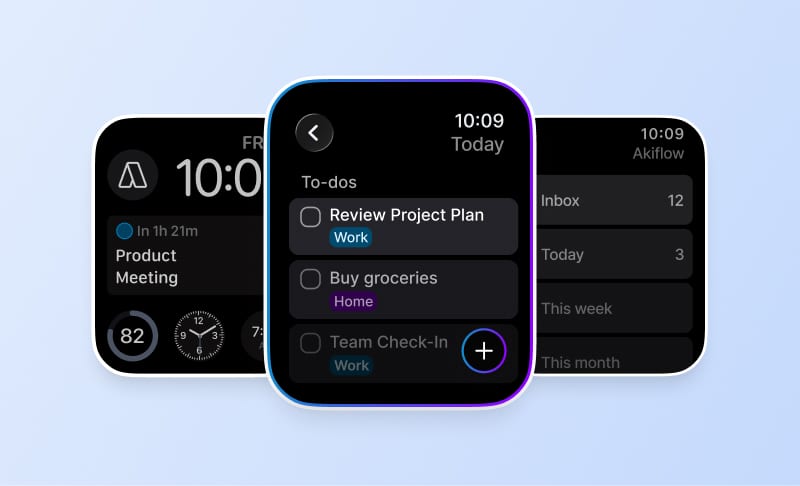
Manual scheduling can feel tedious at first, but the right system makes it easier to turn plans into action. Try Akiflow free for 7 days to seamlessly convert your tasks into time blocks and automate your workflow in a single unified view.
How to Create Your Weekly Block Schedule?
Creating a block schedule is most effective when done systematically. Instead of filling your calendar randomly, follow these steps to build a structure that supports focus, flexibility, and realistic planning.
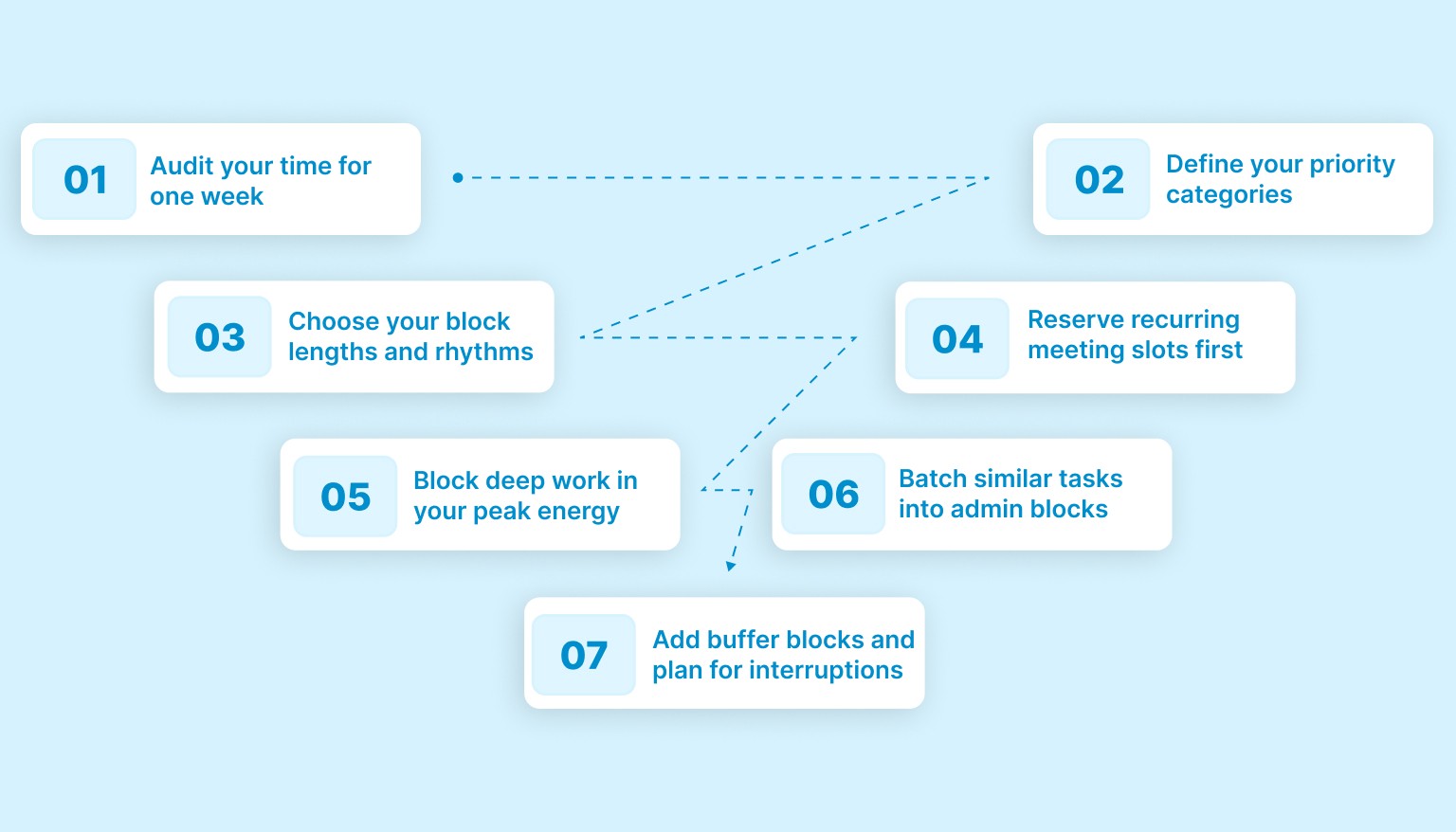
Here is a step-by-step guide how to create a block schedule:
Step 1: Audit your time for one week
Before building a schedule, you need to understand how your time is currently spent. Most people underestimate meetings and overestimate available focus time.
Track your workdays for three to five days to understand how much time is actually available for focused work. Note when you work, when meetings occur, and how much time is lost to interruptions. Pay attention to recurring commitments and identify periods when your energy feels low or high. This awareness forms the foundation of an effective block schedule.
Step 2: Define your priority categories
Once you understand where your time goes, group your work into clear categories. These categories help you assign similar tasks to dedicated blocks.
Common examples include deep work, admin tasks, meetings, learning, and buffer time. Limit your categories to four or five so your schedule stays simple and sustainable. Too many categories make scheduling complicated and harder to maintain.
Step 3: Choose your block lengths and rhythms
Not all work requires the same amount of time. Decide how long your blocks should be based on the type of work you do.
Most professionals benefit from blocks of 60, 90, or 120 minutes. Deep work often requires longer sessions, while admin tasks can fit into shorter blocks. Remember to include short breaks between blocks and a longer midday break to avoid fatigue.
Step 4: Reserve recurring meeting slots first
Start scheduling by placing fixed commitments on your calendar. These include recurring meetings, team check-ins, and client calls.
Blocking these first gives you a realistic view of your remaining time. It prevents you from planning deep work during hours that are already occupied and reduces constant rescheduling later.
Step 5: Block deep work in your peak energy windows
Deep work should be scheduled when your focus is strongest. For many people, this is in the morning, but it varies by individual.
Identify your peak energy hours and reserve them for your most demanding tasks. Protect these blocks by minimizing notifications and avoiding meetings during those hours whenever possible.
Step 6: Batch similar tasks into admin blocks
Smaller tasks can quietly consume large portions of your day if they are handled one by one. Emails, updates, documentation, and quick follow-ups are best grouped together.
Create dedicated admin blocks where these tasks are completed in one session. Batching reduces context switching and keeps your focus intact throughout the day.
Step 7: Add buffer blocks and plan for interruptions
No schedule works without flexibility. Unexpected requests, urgent issues, and delays are part of real workdays.
Include one or two buffer blocks each day to absorb interruptions. These blocks prevent your entire schedule from collapsing when plans change and help you stay calm under pressure.
Step 8: Review and iterate weekly
A block schedule is not static. Your workload, priorities, and energy levels evolve over time.
Spend 10 minutes at the end of each week reviewing what worked and what did not. Adjust block lengths, move commitments, and refine your categories. Regular reviews ensure your schedule stays realistic and aligned with your goals.
Also Read: Task Management for Startups: Lean Tools That Help Teams Scale
Daily Example of A Block Schedule
Once you understand how block scheduling works, it becomes easier to visualize it in a real workday. Below is a simple example of how a typical weekday might look when tasks are organized into clear time blocks.
This is only a reference. Your schedule may vary based on role, workload, and energy levels.
Time | Block |
8:30 to 9:00 | Morning planning and priority review |
9:00 to 11:00 | Deep work block for the highest priority task |
11:00 to 11:30 | Buffer time or email review |
11:30 to 12:30 | Meetings or collaboration |
12:30 to 13:30 | Lunch break |
13:30 to 15:00 | Deep work or project execution |
15:00 to 15:30 | Quick admin tasks |
15:30 to 17:00 | Meetings or calls |
17:00 to 17:30 | End of day review and planning for tomorrow |
This type of structure ensures that focused work, collaboration, and breaks all have a dedicated place in your day. Instead of reacting to tasks as they appear, you move through your schedule with clarity and intention.
Practical Tips and Common Mistakes
Creating a block schedule becomes easier when you follow a few simple best practices and avoid common pitfalls that often lead to frustration.
Practical tips
Time-box your work, not your task list. Schedule time for starting and focusing on work rather than trying to fit every task into the calendar.
Use color coding for different types of blocks, such as deep work, meetings, and admin. This makes your schedule easier to scan and understand at a glance.
Treat blocks as appointments with yourself. Protect them the same way you would protect a meeting with others.
Common mistakes
Overpacking your day with back-to-back blocks. Without breathing room, even small delays can throw off your entire schedule.
Creating blocks that are too short. Deep or meaningful work usually requires at least 60 to 90 minutes of uninterrupted focus.
Ignoring flexibility. A block schedule should guide your day, not restrict it or add unnecessary pressure.
Tools and Workflow for Block Scheduling
Block scheduling works best when your workflow is simple and consistent. Instead of relying on multiple disconnected tools, focus on a system that helps you move smoothly from task capture to execution.
A practical block scheduling workflow usually looks like this:
Collect tasks from all sources into one universal inbox.
Review and prioritize tasks based on urgency and importance.
Assign high-priority tasks to specific time blocks on your calendar.
Adjust blocks as needed while keeping your core focus time protected.
Using a tool that connects tasks and calendars into one workflow reduces friction and keeps planning realistic. For example, Akiflow allows tasks to flow directly into your calendar, making it easier to plan blocks realistically and stay aligned with your schedule throughout the day.
Conclusion
Block scheduling transforms scattered to-do lists into clear, time-based commitments. Instead of constantly deciding what to work on next, you follow a structured plan that aligns your priorities with your available time.
This approach helps reduce distractions, protect deep work, and create a healthier balance between focused tasks and meetings. When your day is organized around intentional time blocks, productivity becomes more predictable and far less stressful.
Try Akiflow free for 7 days to connect your tasks and calendar in one place and make block scheduling easier to plan, manage, and maintain.
Frequently Asked Questions
How is block scheduling different from a normal to-do list?
A to-do list tells you what matters, but it does not decide when you will do it. Put priority work on your calendar as a dedicated block. Once a task has a set time, it becomes a commitment, cuts down repeated reprioritizing, and makes it easier to start instead of reacting to whatever appears next.
How long should each block be?
Match the block to the type of work. Use 60, 90, or 120 minutes as a starting point. Reserve longer stretches for deep work and shorter ones for admin. Do not stack blocks back to back all day. Add short breaks between them and keep a longer midday break so fatigue does not erode focus.
What should you schedule first when building the week?
Begin with what is fixed. Put recurring meetings, team check-ins, and client calls on the calendar first so you can see the time you truly have left. Then place deep work into your peak-energy hours rather than squeezing it into leftovers. That sequence prevents unrealistic planning and reduces the rescheduling that happens when meetings are added later.
How do you handle interruptions without abandoning the schedule?
Build flexibility into the plan before the day starts. Leave one or two buffer blocks to absorb urgent requests, delays, or surprise meetings. On unpredictable days, use broader flexible blocks instead of tightly planned ones. That keeps the structure useful without turning the schedule into another source of pressure when work changes.
How do you know if your schedule is realistic enough to keep using?
Review it every week, not just when it breaks. Spend 10 minutes at the end of the week checking where focus time was protected, where meetings spread, and which block lengths were off. Keep categories limited so the system stays simple. A schedule you can adjust and repeat will serve you better than one that looks perfect for a day.