
Being a manager means juggling a variety of responsibilities: from overseeing team performance to balancing your own workload. Yet, despite your best efforts, you often find yourself scrambling to meet deadlines, answering a barrage of emails, and navigating endless meetings.
The challenge isn’t just about working hard; it’s about working smart. And that’s where productivity management techniques come into play.
A productive manager is one who can not only handle their own tasks effectively but also lead a team to accomplish its goals efficiently. This doesn’t mean adding more hours to the workday; it’s about organizing time, prioritizing tasks, and eliminating distractions that eat up valuable hours.
This blog will provide you with actionable techniques to improve productivity, both for yourself and your team.
At a Glance
Productivity management helps managers reduce decision fatigue, stay focused, and keep teams aligned with clear priorities and workflows.
Techniques like the Eisenhower Matrix and time blocking help structure workdays and ensure high-impact tasks get attention first.
Effective delegation improves team ownership, frees up managerial time, and supports better execution across projects.
Productivity tools provide visibility into tasks, communication, and progress, helping managers reduce delays and improve accountability.
Platforms like Akiflow centralize tasks, calendars, and tracking, making it easier to manage priorities, monitor progress, and stay organized.
Why is Productivity Management Crucial for Managers?
Managers are expected to be efficient not only in executing their own work but also in guiding their teams to success. However, managing people and projects without an effective productivity strategy leads to chaos, confusion, and burnout.
When productivity management is overlooked, several things happen:
Decision fatigue: When there is no clear structure, you spend too much time deciding what to do next instead of focusing on high-priority tasks.
Distractions: Without a focused approach to time management, small distractions add up, significantly impacting your ability to complete work.
Team misalignment: Without clear goals and tracking systems, teams can become disconnected from organizational priorities, leading to inefficient workflows and missed deadlines.
Effective productivity management doesn’t just benefit you; it also fosters a sense of alignment and accomplishment across the entire team.
Read Also: Daily Work Management: Steps to Plan and Control Your Day
Key Productivity Management Techniques for Managers
Managing a team efficiently requires more than just overseeing tasks; it involves using proven techniques to optimize both individual and team productivity. These techniques will empower you to make smarter use of your time and ensure your team stays focused on what matters most.
Let’s look into essential productivity management techniques that can help managers stay organized, prioritize effectively, and drive team performance.
1. Prioritize Tasks Using the Eisenhower Matrix
The Eisenhower Matrix is a time management method that helps you determine which tasks should be completed first, delegated, or removed from your to-do list entirely. It works by sorting tasks based on their urgency and importance.
As a manager, prioritization is vital; your time is limited, and deciding what needs attention first is critical for productivity.
The Four Quadrants:
Urgent and Important: These tasks need immediate attention and should be completed first. Examples include urgent client requests, critical project deadlines, and team issues that require resolution.
Important but Not Urgent: These tasks are crucial for long-term success but don’t need immediate action. These might include strategic planning, ongoing team development, or project prep for the future.
Urgent but Not Important: These tasks are pressing but don’t contribute to your long-term goals. Delegate them if possible, such as responding to routine emails or handling administrative tasks.
Neither Urgent Nor Important: These are tasks that don’t contribute significantly to your goals and can be eliminated. This could include checking social media, attending irrelevant meetings, or taking on tasks that don’t align with your objectives.
Tools like Akiflow make prioritization simple by allowing you to visually categorize tasks and assign time blocks to each.
2. Time Blocking for Focused Work
One of the most effective techniques for boosting productivity is time blocking. Time blocking is the practice of scheduling your day into time blocks, each dedicated to a specific task or activity. This technique helps you stay focused by eliminating distractions and ensuring that you’re working on the right task at the right time.
Benefits of Time Blocking:
Improved Focus: By dedicating specific periods to certain tasks, you can eliminate distractions and maintain focus on one thing at a time.
Clear Boundaries: Time blocking provides structure to your day, ensuring there’s a clear separation between deep work, meetings, and admin tasks.
Using a tool like Akiflow, you can easily manage and adjust your time blocks, ensuring your calendar stays aligned with your priorities and goals.
3. Delegate Effectively
As a manager, you cannot (and should not) do everything yourself. Delegation is one of the most effective productivity management techniques. By delegating tasks appropriately, you empower your team, free up your time for high-value work, and promote a more collaborative work environment.
Benefits of Delegation:
Increased Efficiency: Delegation allows you to focus on higher-level tasks, while team members handle the details.
Empowerment and Growth: By trusting your team with responsibilities, you promote skill development and ownership.
Time Management: Effective delegation frees up your schedule for strategic tasks and meetings.
8 Best Productivity Management Tools for Managers
Managing team productivity is no longer just about tracking hours. Managers need clear visibility into work progress, collaboration, and outcomes without adding complexity.
The right productivity management tools help streamline workflows, improve accountability, and keep teams aligned, making it easier to manage performance, reduce delays, and ensure work moves forward consistently.
The right AI project management tools help streamline workflows, improve accountability, and keep teams aligned, making it easier to manage performance, reduce delays, and ensure work moves forward consistently.
Let’s look at the top productivity management tools in detail.
1. Akiflow
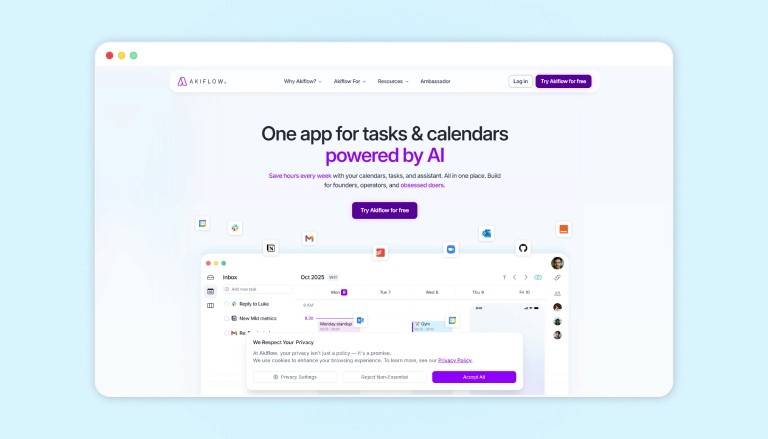
Best For: Unifying calendars, tasks, and inbox into one intelligent command center that supercharges executive efficiency.
Key Features:
Time blocking with drag-and-drop across Google/Outlook calendars, tasks, and meetings for perfect daily orchestration
AI-powered inbox triage that pulls tasks from 3000+ apps (email, Slack, Asana, etc.) into a unified view with smart parsing
Mirror mode for instant task duplication across tools, plus keyboard shortcuts and templates to slash context-switching by 80%
Akiflow revolutionizes manager workflows by fusing fragmented tools into a single, lightning-fast interface, think Gmail, Calendar, Todoist, and CRMs all in one pane. It’s AI auto-extracts tasks from anywhere, auto-schedules your day with intelligent time blocking, and delivers 10x faster navigation via Vim-style shortcuts.
2. Trello
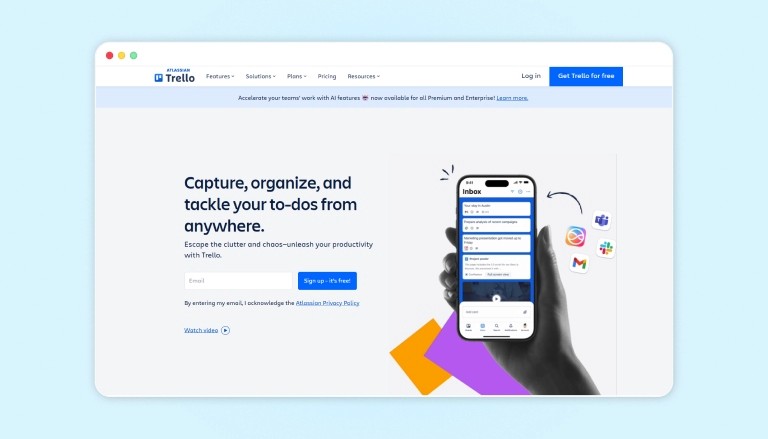
Best For: Simple, visual task tracking using boards and cards.
Key Features:
Kanban-style boards with drag-and-drop cards
Checklists, labels, and due dates within each card
Power-Ups and integrations to extend functionality
Trello centers on visual boards that represent workflows, with cards representing individual tasks. Managers can quickly see what is in progress, what is blocked, and what is complete. Checklists, comments, and file attachments keep task details in context. The tool’s flexibility makes it suitable for a wide range of team processes, from marketing campaigns to operations.
3. Asana
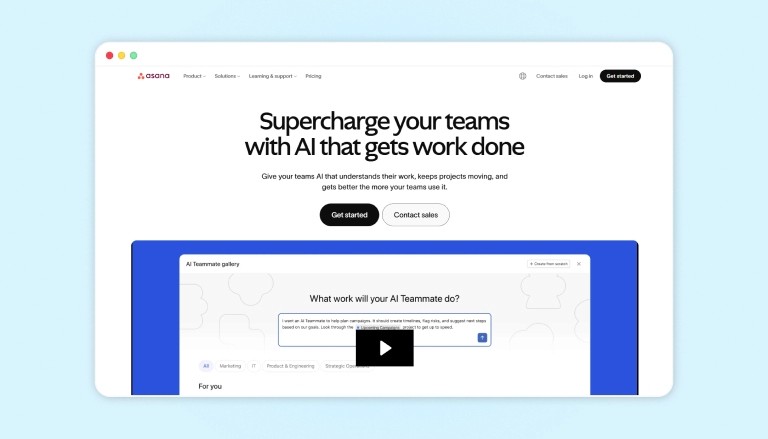
Best For: Structuring projects, tasks, and workflows across teams.
Key Features:
Visual timelines, boards, and list views for projects
Task assignment with due dates, dependencies, and priorities
Reporting dashboards and workload views for managers
Asana is a work management platform that helps teams plan, coordinate, and track tasks in one place. Managers can break down projects into smaller activities, assign owners, and monitor status in real time. Multiple views, including lists, boards, and timelines, make it easier to match the tool to different working styles while maintaining clear accountability and deadlines.
4. Slack
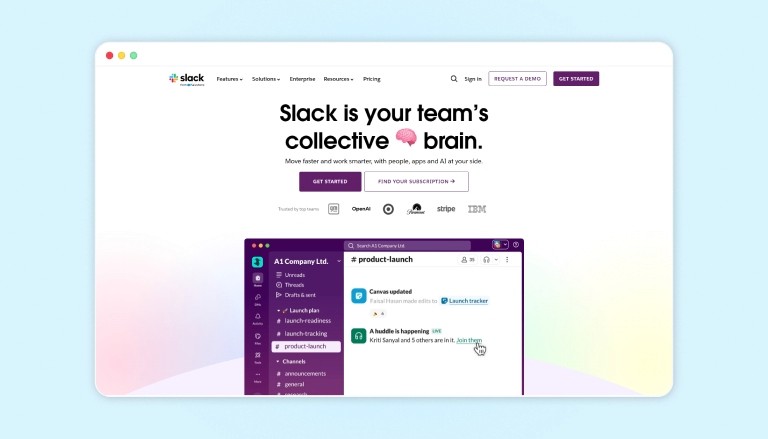
Best For: Centralizing day-to-day team communication and quick collaboration.
Key Features:
Channels for teams, projects, and topics
Direct messages, huddles, and file sharing
Integrations with project, calendar, and document tools
Slack is a messaging platform designed to reduce reliance on email and make team communication more immediate. Channels help segment discussions by project or function, while searchable history preserves context. Managers can share updates, ask quick questions, and bring relevant tools into conversations via integrations. This creates a centralized hub for everyday coordination and decision-making.
5. Microsoft Teams
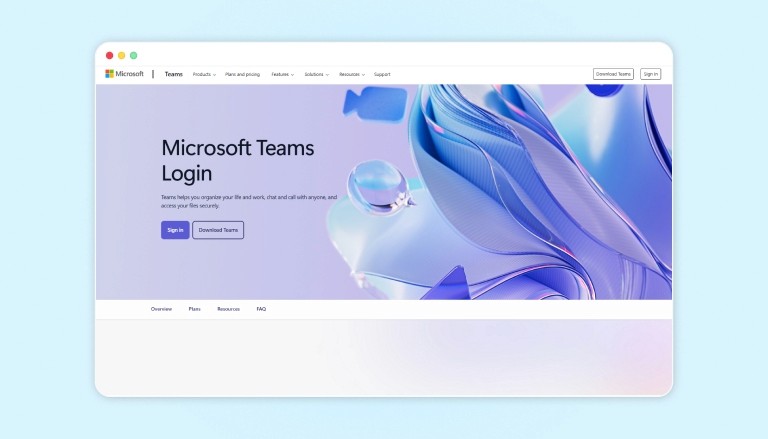
Best For: Combining chat, meetings, and files within the Microsoft 365 ecosystem.
Key Features:
Team chat, channels, and video meetings
Tight integration with Outlook, SharePoint, and Office apps
Shared file storage and collaborative editing
Microsoft Teams consolidates messaging, meetings, and document collaboration in a single interface. Managers can host video calls, share screens, and co-edit files during discussions. Integration with Microsoft 365 means schedules, documents, and conversations stay connected. This reduces switching between tools and supports both structured meetings and informal daily communication within the same environment.
6. Notion
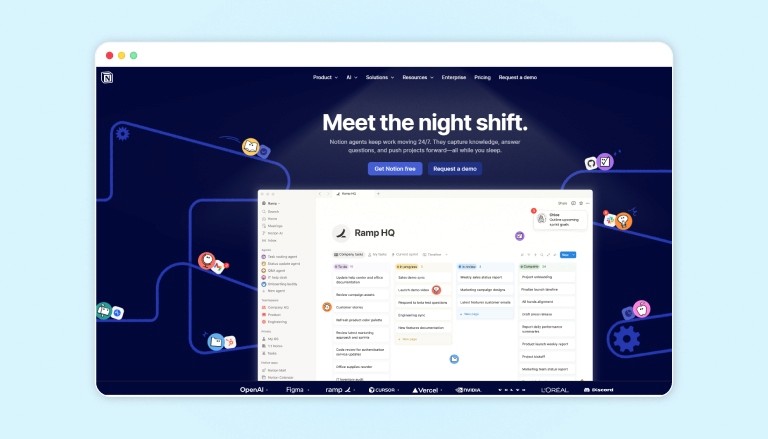
Best For: Flexible workspaces for notes, documentation, and light project tracking.
Key Features:
Pages and databases for wikis, tasks, and knowledge bases
Customizable views such as tables, boards, and calendars
Real-time collaboration with comments and mentions
Notion offers a modular workspace where teams can create documentation, task lists, and project dashboards. Managers can build internal wikis, meeting notes, and lightweight pipelines tailored to their teams’ needs. Databases support sorting and filtering, making information easier to find. The tool’s flexibility allows different departments to design their own structures while still staying on a shared platform.
7. ClickUp
Best For: All-in-one workspace covering tasks, docs, and goals.
Key Features:
Hierarchical structure for spaces, folders, lists, and tasks
Multiple views, including list, board, Gantt, and calendar
Goal-setting, time tracking, and reporting options
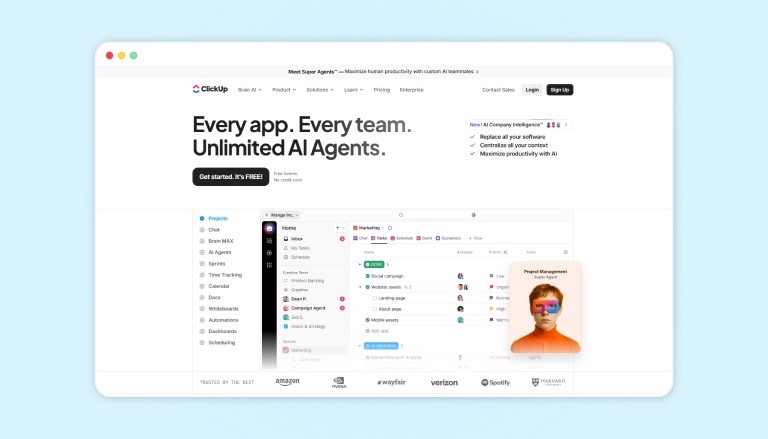
ClickUp is designed to bring tasks, documents, and goals into a single environment. Managers can define objectives, break them into projects and tasks, and oversee delivery using different views. Time tracking and reports provide insight into where effort is going. The tool also supports documentation and whiteboards, which can reduce fragmentation across separate productivity platforms.
8. Todoist
Best For: Personal and team task management with natural language input.
Key Features:
Quick-add tasks via plain text with dates and priorities
Labels, filters, and recurring task options
Productivity reports tracking completed tasks over time
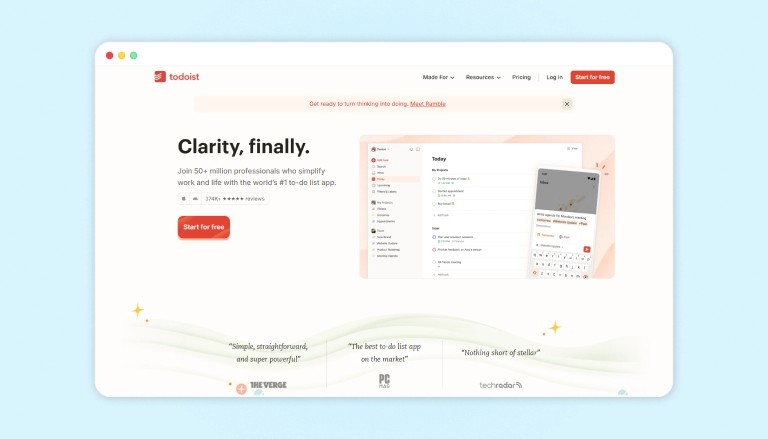
Todoist provides a straightforward system for capturing, organizing, and reviewing tasks across individuals and teams. Managers can assign work, set reminders, and use projects to group related items. Filters let you view by person, priority, or deadline, while weekly productivity trends provide visibility into completion rates. Integration with calendars keeps tasks aligned with schedules.
How Tools Can Help You Manage Productivity as a Manager?
Akiflow is a productivity tool designed to help managers stay organized and focused. By integrating tasks and calendars into one platform, Akiflow enables managers to time block, delegate tasks, and track team progress effortlessly.
Here’s how it supports your productivity management:
Centralized Task Management: View and manage tasks and meetings in one place, making prioritization and time blocking easier.
Delegation and Tracking: Assign tasks to team members, track progress, and ensure deadlines are met without constant follow-up.
Time Blocking: Schedule focused work periods and meetings to ensure your day is structured and efficient.
Progress Monitoring: Track team progress with clear task statuses and adjust priorities as needed to ensure alignment with goals.
Conclusion
Effective productivity management is essential for any manager looking to maximize their time, achieve team objectives, and lead with confidence.
By prioritizing tasks, time-blocking, delegating, limiting meetings, fostering accountability, and using technology such as Akiflow, managers can streamline their work and lead their teams to greater success.
Start implementing these techniques today and watch how they transform your productivity. For a more seamless productivity experience, try Akiflow to organize your tasks and calendar in one place and boost your team’s performance.
FAQs
1. How can I improve my productivity management as a manager?
Focus on prioritizing tasks, using time-blocking techniques, delegating effectively, and tracking team progress. Tools like Akiflow help streamline these processes.
2. What is the Eisenhower Matrix, and how does it help with productivity?
The Eisenhower Matrix categorizes tasks based on urgency and importance, helping you focus on high-priority work and delegate or eliminate lower-priority tasks.
3 . How do I implement time blocking effectively?
Identify your peak productivity times and assign specific tasks to dedicated time blocks. Avoid interruptions during these periods for maximum focus.
4. Why is delegation important for managers?
Delegation allows managers to focus on high-priority tasks while empowering team members and improving overall team productivity.
5. How can I track my team’s progress efficiently?
Set clear KPIs and use productivity tools like Akiflow to track tasks, progress, and performance metrics, ensuring alignment and accountability.


