

Most professionals rely on to-do lists to stay organized. Yet many of these lists end up ignored, unfinished, or endlessly carried over to the next day. You start the morning with a list of tasks and good intentions, but by the afternoon, the list feels overwhelming. Some tasks remain untouched, others get replaced by urgent requests, and the list slowly becomes a reminder of unfinished work rather than a tool for productivity.
The problem is rarely the concept of a to-do list. The real issue is how the list is created and used. A long, vague list of tasks does not help you focus or take action. An effective to-do list, on the other hand, works as a planning system.
When designed correctly, a to-do list becomes one of the simplest yet most powerful productivity tools. In this guide, you will learn how to create a to-do list that you will actually follow.
Key Takeaways
Capture tasks in one trusted list, then turn vague projects into specific next actions you can start without further planning.
Choose a short daily list based on importance and realistic time estimates; keep lower-priority work in a separate master list.
Reserve calendar time for your priorities and review unfinished tasks, adjusting their scope or timing instead of carrying them forward unchanged.
Why Most To-Do Lists Fail?
Many to-do lists fail because they collect tasks without helping you act on them. When lists are unstructured, overloaded, or unclear, they create stress instead of clarity. Recognizing these mistakes is the first step toward building a to-do list system that actually drives progress.
Here are the common reasons to-do lists fail:
Lists become too long: When dozens of tasks pile up, overwhelm sets in, and motivation to start declines.
Tasks are vague: Items like “work on report” lack clear starting points, making them easy to postpone.
No prioritization: Without clear priorities, people focus on easy tasks instead of meaningful work.
Tasks aren’t scheduled: When tasks never get time on the calendar, they remain intentions rather than actions.
No realistic planning: Overestimating daily capacity leads to unfinished tasks and repeated carryovers.
Must read: Time Management Plan: 6 Strategies To Improve Productivity
How to Make a To-Do List That You’ll Actually Use?
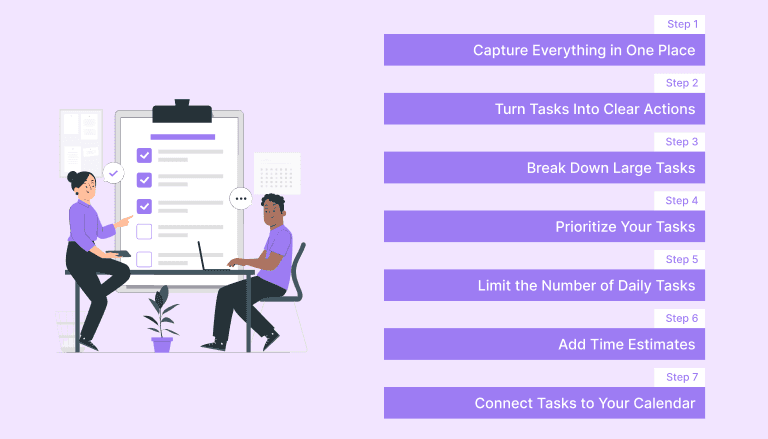
A to-do list that works well follows a few key principles. First, it captures tasks in one place so nothing gets forgotten. Second, it prioritizes work so you know what deserves attention first. Third, it breaks large tasks into smaller actions that are easier to start. And finally, it connects tasks to real time in your schedule.
These principles show how to make a list app that is not just a record of responsibilities but a structured plan for getting work done. When your list reflects both priorities and available time, it becomes easier to move from planning to execution.
Step 1: Capture Everything in One Place
The first step in building an effective to-do list is capturing all tasks in a single location. Many people keep tasks scattered across emails, notes, chat apps, and reminders. This fragmentation makes it difficult to see the full picture of what needs to be done.
Start with a simple process called a brain dump. Write down every task that is currently on your mind. Include work tasks, personal errands, meetings, follow-ups, and deadlines. The goal is not to organize the tasks yet, but to ensure nothing is lost.
Examples of captured tasks might include:
Send proposal to client
Prepare meeting slides
Schedule team check-in
Pay the electricity bill
Outline presentation
By moving these tasks out of your head and onto a list, you reduce mental clutter and gain clarity about your workload.
Step 2: Turn Tasks Into Clear Actions
Once tasks are captured, the next step is to make them actionable. Many lists fail because tasks are written too broadly. A vague task creates friction because it does not clearly define the first step.
Instead of writing general descriptions, rewrite tasks as specific actions.
For example:
Instead of writing
Marketing report
Write
Draft outline for Q3 marketing report
Action-based tasks make it easier to begin work immediately. When each task clearly states what needs to be done, there is less hesitation and less room for procrastination.
Step 3: Break Down Large Tasks
Large tasks can feel intimidating and often lead to procrastination. Breaking them into smaller steps removes that barrier and creates a sense of progress.
For example, instead of writing:
Prepare quarterly presentation
Break it into smaller actions such as:
Review last quarter’s data
Draft presentation outline
Design slides- Use AI tools to create slides
Add charts and visuals
Review with the manager
This structure transforms a complex task into a sequence of manageable steps. Each completed step builds momentum and keeps the project moving forward.
Step 4: Prioritize Your Tasks
Once tasks are clear and manageable, the next step is prioritization. Not every task deserves equal attention. Some tasks drive meaningful progress while others simply maintain routine operations.
One useful framework for prioritization is the Eisenhower Matrix. This method divides tasks into four categories.
Urgent and Important tasks require immediate action. These include approaching deadlines or critical problems that need attention.
Important but Not Urgent tasks contribute to long-term progress. Strategic planning, learning, and project development often fall into this category.
Urgent but Not Important tasks demand attention but may not require your direct involvement. Many of these tasks can be delegated.
Tasks that are neither urgent nor important provide little value and should often be removed from your list.
Using this framework helps you focus on work that genuinely matters rather than reacting to everything that appears urgent.
Step 5: Limit the Number of Daily Tasks
Another common mistake is trying to accomplish too much in a single day. Long lists often lead to unfinished work and frustration.
A more effective strategy is to limit the number of tasks you plan to complete. A practical rule is to focus on three to five meaningful tasks per day.
These tasks should represent your most important priorities. Additional tasks can remain in a larger master list, but your daily list should stay focused and manageable.
This approach creates a sense of progress while preventing overload.
Step 6: Add Time Estimates
Many people underestimate how long tasks will take. Without time estimates, it becomes easy to overload your day with unrealistic expectations.
Adding a rough time estimate to each task helps create a more accurate plan.
For example:
Draft proposal: 90 minutes
Team meeting: 30 minutes
Review analytics: 45 minutes
Time estimates encourage realistic scheduling and help prevent a common productivity trap: planning a full day with more work than can actually fit into available hours.
Step 7: Connect Tasks to Your Calendar
One of the most effective ways to make your to-do list actionable is by connecting it to your calendar. Instead of relying solely on a list, schedule tasks into dedicated time blocks.
For example:
9:00 to 10:30: Write proposal
11:00 to 11:30: Review client feedback
2:00 to 3:00: Prepare meeting slides
This method, known as time blocking, ensures that tasks have a reserved place in your schedule. When tasks are connected to specific time slots, they are far more likely to get completed.
Must Read: How to Set Work Goals That Actually Drive Results - Akiflow
Proven To-Do List Methods That Work
Different productivity methods offer structured ways to manage tasks. Here are a few popular approaches that many professionals find effective.
The Ivy Lee Method is one of the oldest productivity systems. At the end of each day, write six tasks for the following day and rank them in order of importance. Work through them one by one, and carry unfinished tasks to the next day.
The 1-3-5 Method divides your day into three categories: one major task, three medium tasks, and five small tasks. This structure balances meaningful progress with smaller responsibilities.
The Top Five Method focuses on identifying five essential tasks to complete during the day. Completing one small task early can build momentum and make it easier to tackle more demanding work.
Each of these methods emphasizes simplicity and focus rather than overwhelming lists.
A Simple To-Do List Template You Can Use
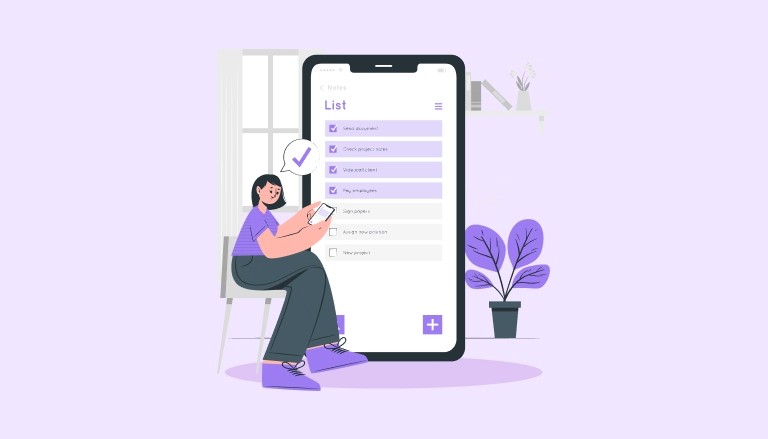
A structured template can help turn your task list into a clear plan.
Daily To-Do List Template
Top Priority
Task 1
Important Tasks
Task 2
Task 3
Task 4
Small Tasks
Task 5
Task 6
Later Tasks
Task 7
Task 8
This structure keeps the focus on high-impact work while still capturing additional responsibilities that may need attention later.
Also read: Top Time Management Tools to Stay Focused and Get More Done
Example of a To-Do List That Works
A practical example of a daily task structure might look like this.
Morning Deep Work
Draft project proposal
Review analytics dashboard
Midday Tasks
Team meeting
Send follow-up emails
Afternoon Tasks
Update presentation slides
Plan next day priorities
This structure aligns tasks with natural energy levels and reduces context switching.
How Tools Can Help You Follow Your To-Do List?
Creating a to-do list is only the first step. The real challenge is ensuring that tasks actually get completed.
A productivity system that connects tasks with your calendar can make a significant difference. When tasks and schedules live in separate tools, priorities can slip through the cracks.
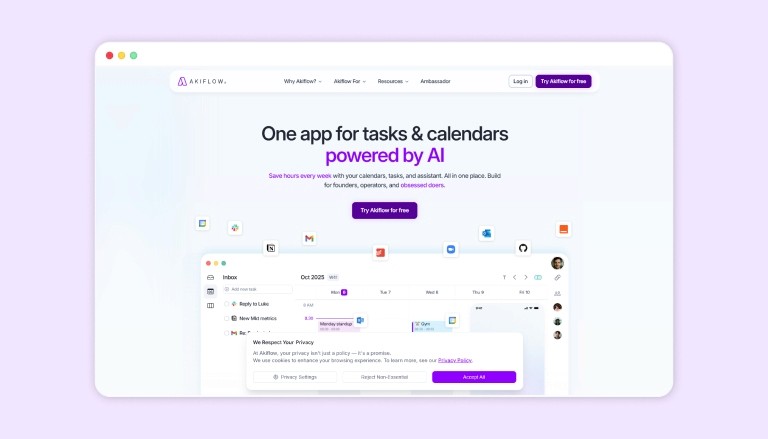
Akiflow helps solve this by bringing tasks and calendar planning into one place. Instead of switching between multiple apps, you can see your tasks alongside your available time and schedule them directly into your day.
This makes it easier to assign tasks to specific time blocks, stay focused on your priorities, and ensure important work receives the attention it deserves.
Conclusion
Creating a to-do list that you actually use is not about writing more tasks. It is about building a system that turns plans into action. When tasks are captured clearly, broken into manageable steps, prioritized effectively, and scheduled realistically, your to-do list becomes a practical roadmap instead of a source of stress.
By combining structured task planning with time-based scheduling, you move from reacting to work toward executing it with intention.
Use Akiflow to centralize your tasks, connect them to your calendar, and ensure your most important work never gets lost in a long list of responsibilities. Try Akiflow for free!
FAQs
1. How is a to-do list different from a task management system?
A basic to-do list simply records tasks, while a task management system organizes tasks by priority, deadlines, and scheduling. Systems that connect tasks with your calendar make it easier to plan when work actually happens, rather than just listing what needs to be done.
2. Should a to-do list include both work and personal tasks?
Yes. Combining work and personal tasks gives you a realistic view of your time. If personal commitments are missing from your list, your schedule may become overloaded because you are planning your workday without accounting for other responsibilities.
3. What is the best way to handle tasks that keep getting carried over?
Repeatedly postponed tasks usually indicate that the task is too vague, too large, or not truly important. Break the task into smaller steps, assign it to a specific time block, or reconsider whether it should stay on your list at all.
4. How often should you update your to-do list during the day?
Most people benefit from updating their list two to three times a day. A quick review in the morning, a short check-in during the afternoon, and a brief evening update help adjust priorities and prepare the next day’s tasks.
5. Can a to-do list improve focus when you have constant interruptions?
Yes. A structured list helps you quickly return to the next priority after interruptions. When tasks are clearly prioritized and scheduled, you spend less time deciding what to do next and more time continuing meaningful work.


