Which Is One Way Technology Improves Productivity in the Workplace?

7
Summary
Look for repetitive coordination work before adding technology. Shared agendas, visible action items and scheduling workflows are practical places to test whether a tool reduces manual effort.
Use calendar blocks, task context and clear notification rules to support focused work. Avoid duplicate tools and keep automated actions understandable to the team.
Track completed priorities alongside meeting and focus time, then review the workflow. Use the seven-day plan as an experiment, not a promise of hours saved.
In an era of hyper-connectivity, the modern professional loses sixty percent of their workday to “work about work”, the administrative friction that stifles genuine innovation. While the digital landscape has expanded our capabilities, it has simultaneously fragmented our focus, turning the quest for efficiency into a battle against digital noise.
True competitive advantage now rests on the sophistication of the systems supporting a team. When technology is integrated strategically, it transforms from a distraction into a powerful engine for output, allowing organizations to scale workflows and rituals without compromising the mental clarity or creative energy of their contributors.
This guide explores how to leverage tools to scale rituals, protect deep work, and automate coordination. You will learn to measure productivity via outcome-focused metrics, avoid common implementation pitfalls, and follow a practical seven-day plan to reclaim lost hours and optimize your workflow.
Team Workflows That Scale Better With Technology
Teams need tools that reduce overhead and preserve focus so collective output rises without adding meetings or admin. This section shows practical ways founders, makers, and go-to-market teams use technology to scale rituals, protect deep work, and automate coordination.
One clear way technology improves productivity in the workplace is by reducing coordination overhead, less time spent scheduling, updating, and clarifying work, and more time spent executing it.
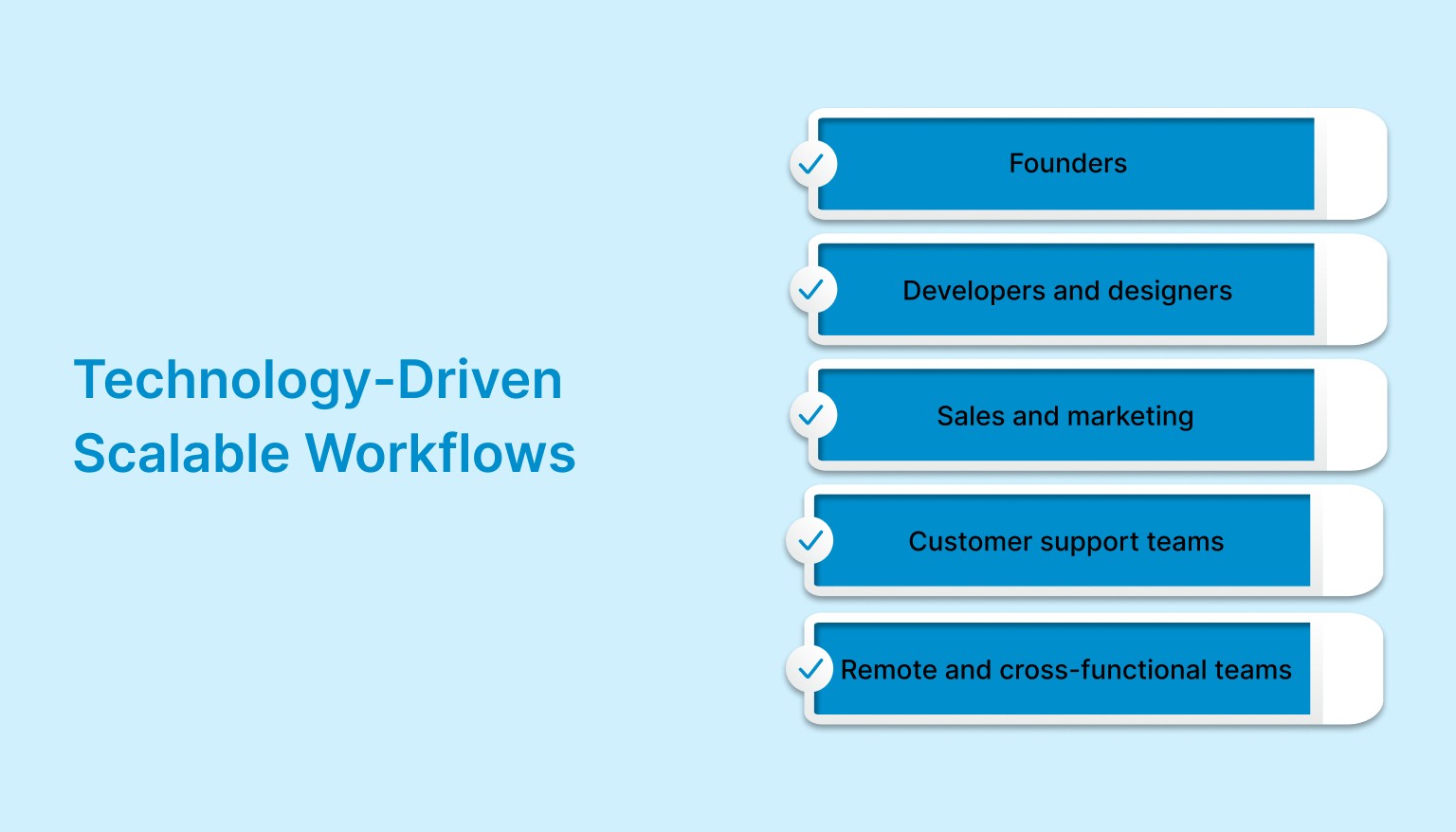
Here are concrete team examples showing how technology scales workflows
Founders: Shared rituals and a weekly planning sync keep company priorities aligned and prevent duplicate work. Technology centralizes agendas, assigns action items automatically, and keeps a searchable record so decisions stay visible for asynchronous follow-up.
Developers and designers: Protected deep work windows and focused sprints let engineers and creatives complete higher-quality work faster. Calendar locking, contextual task links, and reduced notification noise maintain flow and shorten review cycles.
Sales and marketing: Shared booking links and automated follow-ups remove scheduling friction and speed lead conversion. Integrations with CRM and email reduce manual data entry and ensure handoffs between teams are consistent and measurable.
Customer support teams: Unified inboxes and shared calendars help agents prioritize urgent tickets while balancing shifts and response time goals. Automation assigns tasks, schedules follow-ups, and keeps everyone aligned without constant internal messaging.
Remote and cross-functional teams: Transparent availability and shared planning rituals reduce time zone friction and missed handoffs. Technology makes async work reliable by clearly showing who is working on what and when.
Also Read: Why an All-in-One Digital Planner Works Better Than Multiple Apps
Measuring Productivity Improvements Without Vanity Metrics
True productivity is about meaningful output, not hours logged or apps opened. Teams that rely on outcome-focused metrics gain clearer insight into progress, focus quality, and workflow health without encouraging burnout or busywork.
Here are practical metrics that reflect real productivity gains:
Completed priority tasks per week: Tracking how many high-impact tasks are finished shows whether effort is translating into results rather than just activity. This metric highlights execution quality and alignment with goals.
Time spent in deep work blocks: Measuring protected focus time reveals how effectively teams minimize distractions and sustain concentration. Consistent deep work hours often correlate with better quality output.
Meeting hours per week: Monitoring total meeting time helps identify overload and unnecessary coordination. Reducing meeting hours often frees time for focused execution without harming collaboration.
Lead response time for sales teams: Faster responses signal efficient workflows and better use of automation. This metric directly links productivity improvements to revenue outcomes.
Common Pitfalls When Introducing Productivity Tech and How to Avoid Them
Productivity tools promise efficiency, but poor implementation often creates friction instead. Understanding common pitfalls helps teams adopt technology in a way that improves focus, encourages usage, and delivers measurable results without overwhelming people.
The table below outlines frequent mistakes teams make and practical ways to fix them
Pitfall | Fix |
Tool sprawl | Centralize work into a core system and actively decommission duplicate tools to reduce confusion and context switching. |
Over automation that hides context | Keep a visible audit trail so team members can understand why tasks, reminders, or schedules were created. |
Low adoption across the team | Run short onboarding sessions and share ready-made templates so people can see immediate value. |
Too many notifications | Define clear notification rules and focus modes so alerts support work rather than interrupt it. |
No clear productivity metrics | Agree on outcome-focused metrics, such as completed priorities and deep work time, rather than activity counts. |
If your “productivity” involves jumping between five different tabs just to find your next task, you aren’t working; you’re just juggling. Akiflow acts as a central planning workspace, bringing tasks and calendars together to reduce tool-switching and coordination friction.
Quick 7 Day Plan to Reclaim Two Hours Per Week
Small, focused changes compound quickly when applied with consistency. This seven-day plan helps professionals regain control of tasks, calendars, and focus without overhauling their entire workflow or introducing complex systems.
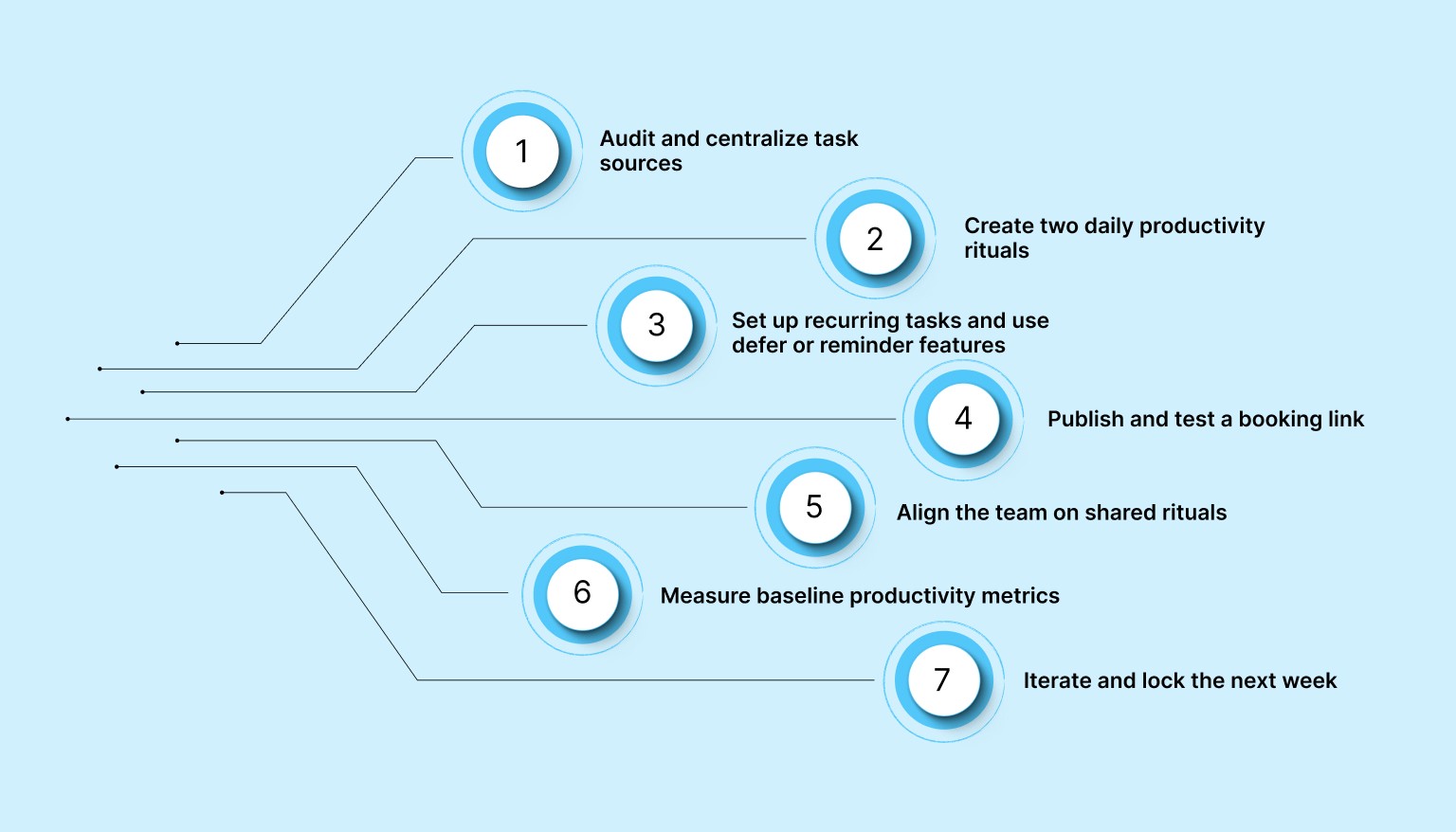
Follow this simple day-by-day plan to reclaim time and reduce friction
Day 1: Audit and centralize task sources
List all the apps, inboxes, and tools where tasks currently live. Connect the top three sources into a single system to ensure nothing important slips through the cracks.
Day 2: Create two daily productivity rituals
Set a daily inbox processing ritual and block a 90-minute focus session on your calendar. These habits create clarity and protect time for meaningful work.
Day 3: Set up recurring tasks and use defer or reminder features to resurface work at the right time.
Identify repetitive tasks and turn them into recurring templates. Use snooze rules to resurface tasks at the right time instead of constantly rechecking lists.
Day 4: Publish and test a booking link
Create a shared availability or booking link for meetings. Test it once to remove back-and-forth scheduling and reduce interruptions.
Day 5: Align the team on shared rituals
Run a short team sync to agree on planning rituals and calendar rules. Clear norms reduce confusion and improve collaboration across roles.
Day 6: Measure baseline productivity metrics
Track simple metrics like completed priorities, meeting hours, or deep work time. This creates a baseline to understand what is improving.
Day 7: Iterate and lock the next week
Review what worked and what felt heavy. Adjust lightly, then lock in the next week’s plan so improvements carry forward consistently.
Tools and Integrations to Consider
The right technology stack supports focus, coordination, and automation without adding complexity. Instead of chasing individual features, teams benefit most from choosing tools that work well together and reduce context switching across daily workflows.
Below are key tool categories that commonly support productive work environments
Calendar synchronization tools: These keep meetings, deadlines, and personal commitments visible in one place. Reliable calendar sync helps teams avoid conflicts and plan deep work realistically across time zones.
Universal inbox systems: Centralized inboxes consolidate tasks from email, chat, and project tools into a single view. ools like Akiflow combine tasks and calendars into one planning workflow, making it easier to assign time to priorities without jumping between apps.
Platforms like Akiflow combine tasks and calendars so planning happens in a single workflow instead of across multiple apps.
Automation platforms: Automation tools handle repetitive steps such as task creation, reminders, and follow-ups. This reduces manual effort and ensures important work resurfaces at the right time.
Meeting scheduling assistants: Shared availability links and smart scheduling remove back-and-forth coordination. These tools help teams spend less time organizing meetings and more time preparing for them.
Focus and attention tools: Focus timers, notification controls, and distraction-limiting features support sustained concentration. When paired with time blocking, they help protect deep work during busy days.
Also Read: Airtable Calendar: How It Works, How to Set It Up, and When to Use It
Conclusion
Elevating productivity is no longer about working longer hours; it is about building a system that prioritizes clarity over clutter. By implementing these strategies, you shift focus from overhead to high-impact execution. When technology is used strategically, your workday becomes an investment in growth rather than a struggle against distraction.
To improve productivity sustainably, teams need fewer disconnected tools and clearer systems for planning and execution. Akiflow brings tasks and calendars into a single planning interface, helping teams reduce coordination overhead and protect focus time.
Visit Akiflow today to reclaim your focus and transform how your team delivers results.
Frequently Asked Questions
Where should a team start when improving a workflow with technology?
Look at the time spent coordinating work: scheduling, asking for updates, locating action items and arranging follow-ups. Choose one recurring source of friction and test a shared workflow for it. Check whether the change helps the team complete priorities, rather than assuming that adding another app automatically improves productivity.
How do you avoid tool sprawl when adding productivity technology?
Pick one core planning system, connect only your most important task sources, and retire duplicate apps. That cuts confusion and context switching. Then run short onboarding and share ready-made templates, so people see immediate value instead of bouncing between several tabs just to find the next task.
Which metrics help you evaluate productivity changes?
Start with completed priority tasks, then use meeting hours and protected focus time to understand how work is organized. Sales teams may also track lead response time. Review these measures together: time spent in a focus block describes the schedule, while completed priorities help show whether the planned work actually moved forward.
How can remote teams make handoffs clearer?
Keep ownership, availability and progress visible in shared planning systems. Agree on team rituals and calendar rules so colleagues know who is working on what and when to follow up. Where a meeting is needed, a tested booking or availability link can reduce the messages required to find a time.
What should you do over the next seven days to make your workflow lighter?
Use the week to build one lighter workflow. First, centralize your top task sources. Next, set a daily inbox ritual and a 90-minute focus block, turn repetitive work into recurring tasks, publish a booking link, align the team on planning norms, record a simple baseline, and then review what worked before locking next week.