

Most of us know the feeling: the day is packed, the to-do list is long, and yet when you look back at your calendar in the evening, it feels like you barely made progress on the work that mattered. You didn’t need more hours; you needed better use of the hours you already had.
Freeing up time isn’t about squeezing in a few extra minutes here and there. It’s about identifying habits, routines, and organizational gaps that quietly erode your day. Once you address those, you’ll not only finish your key work sooner, but you’ll also create space for better focus, more creativity, and less stress.
In this guide, we’ll walk through six actionable ways to free up time, backed by research and practical examples you can start implementing today.
Key Takeaways
Turn Task Lists Into a Plan: Convert your to-do list into scheduled work by assigning important tasks to specific time blocks.
Time Blocking is Essential: Prioritize important tasks by scheduling focused time blocks, ensuring high-value work doesn’t get sidelined by interruptions.
Batch Shallow Work: Group tasks like emails and messages into fixed time windows to minimize context-switching and maintain focus.
Redesign Your Meetings: Set clear agendas, limit meeting lengths, and consolidate meetings into fewer time slots to protect focus and avoid wasting time.
Create a Daily Shutdown Ritual: Review your tasks at the end of each day to plan for tomorrow, ensuring you start the next day with clarity and direction.
Weekly Planning is Key: Set aside time each week to review your progress, adjust priorities, and ensure you’re focused on high-impact tasks for the upcoming week.
6 Ways You Can Free Up Time
Many professionals have packed schedules but still struggle to make meaningful progress. Freeing up time isn’t about adding more hours to the day but about making better use of the time we have.
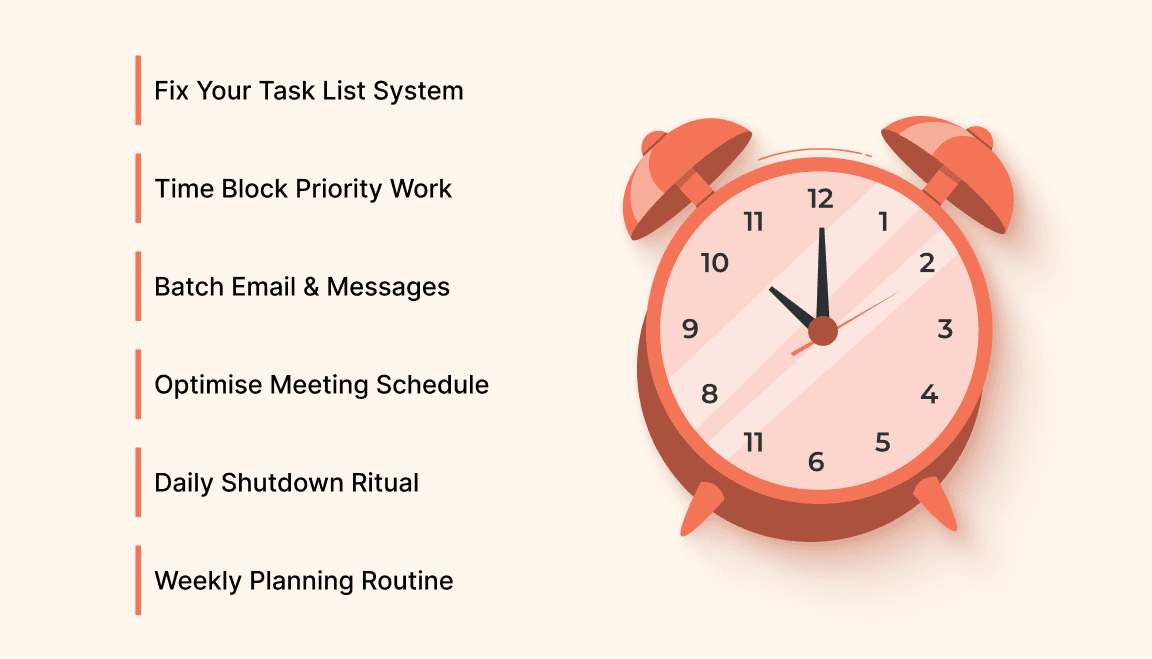
In this section, we’ll share six simple yet effective ways to help you take back control of your time.
1. Stop Treating Your Task List Like a To-Do Graveyard
Most people keep task lists that grow throughout the day. Every incoming email, Slack message, and verbal request becomes a fresh bullet in a never-ending list. But list growth doesn’t equal progress.
Problem:
A catch-all task list feels productive but actually wastes time because nothing on it is scheduled or prioritized. You spend a lot of time deciding what to do next, and even more time remembering where you put tasks.
Solution: Turn your task list into a working plan by processing it regularly every day or at least twice a day and assigning tasks to a specific time or context. This transforms your task list from a passive record into a planned schedule.
Here’s how:
Capture in one place: If your tasks are spread across notes, emails, chat apps, and sticky notes, you spend time hunting for them. Choose a single capture point (even if it’s just one note section or task manager).
Review and sort daily: At a set time each day, clear your ‘inbox’ of captured tasks by deciding if each item is a task, a meeting, a reference note, or something to delete.
Assign real time: For every task that matters, pick a time on your calendar or a context (e.g., “email batch,” “deep work,” “calls”), so that you don’t just have tasks, you plan them.
This simple structure helps you move from “too much to do” to “a clear plan for what you’ll work on throughout the day.”
2. Time Block Your Priority Work (So It Doesn’t Get Eaten by Everything Else)
If your ideal work, the deep, high-value stuff, keeps falling to the bottom of the list, you’re not alone. Many people treat meetings, messages, and admin tasks as the “default” agenda. But these can fill your day before you even start your real work.
Solution: Use time blocking, a planning method in which you assign time blocks to specific types of work.
Why this works:
Rather than letting every interruption decide what you do next, you decide in advance what kind of work fills each part of your day. Research and experience show that batching similar work boosts focus and reduces the cognitive cost of switching tasks.
Here’s a sample approach:
Morning blocks: Reserve 1–2 hours of your best focus time for your most challenging or high-impact work.
Late morning or afternoon: Block time for routine work such as email, chat, and scheduling.
End of day: Reserve time for planning, review, and small admin tasks.
How to start:
Look at tomorrow’s calendar tonight.
Identify the 1–3 tasks that, if completed, would make the day feel successful.
Block time for them before you schedule anything else.
This simple rule prioritizes tasks, cutting through decision fatigue and ensuring your most important work doesn’t get pushed aside by everything else.
3. Batch Reactive Work Like Email and Messages
If you check inbound messages every time a notification pings, your attention never settles long enough to build momentum. Studies show that interruptions, even small ones, break focus and increase the time to complete tasks. Every time you switch tasks, your brain has to reorient itself before it can become productive again.
Solution: Group your reactive work, like email, Slack, and other communications, into fixed windows instead of responding continuously.
Here’s how to implement batching:
Block 30–45 minutes mid-morning for processing email.
Block another 30–45 minutes mid-afternoon for messages and replies.
Turn off non-urgent notifications outside those windows.
Batching reduces the time your brain spends context-switching and gives you longer stretches of uninterrupted focus.
Example rhythm:
9:00–11:00: Deep work
11:00–11:45: Email batch
12:00–1:00: Lunch + short communication
1:00–3:00: Project work
3:00–3:45: Slack/email batch
4:00–5:00: Planning/overflow
Akiflow streamlines your workflow by integrating tasks, calendar, and time blocking in one platform. It lets you see and schedule tasks in context, making it easier to stay organized, stick to your time blocks, and reduce the mental load of managing separate tools. By keeping everything in one place, Akiflow ensures consistent execution without disrupting your planning system.
By containing reactive tasks in scheduled windows, you give yourself predictable time to focus and finish meaningful work.
4. Protect Your Focus by Redesigning Your Meeting Schedule
Meetings are often necessary, but they can also sap hours of your day, especially when they are scattered throughout the schedule or extend longer than they need to.
Common meeting pitfalls that eat time:
Back-to-back meetings
Meetings that have no clear agenda
Meetings with too broad a participant list
Meetings that run longer than they need to
Solutions worth trying:
Set Meeting Rules
Shorter meetings: Default meeting lengths of 25 or 50 minutes instead of 30 or 60. This gives breathing room between commitments.
Clarity first: Ask for a one-sentence agenda before accepting the invite.
Time blocks for meetings: Avoid scattering meetings across your day; group them into one or two blocks when possible.
Cut or Combine Meetings
Ask whether status updates can be done in writing first; you may not need synchronous meetings for everything. For recurring meetings, review them quarterly to decide whether they still need to exist or can be shortened or made less frequent.
Use your calendar boundaries
Declaring specific times when you are not available for meetings can protect your focus blocks. It’s not about hiding; it’s about planning honestly so your best work happens when you can actually focus.
Also Read: How to Take Meeting Notes That Boost Team Productivity?
5. Build a Simple Daily Shutdown Ritual
Many people carry yesterday’s unfinished tasks forward — not because they want to, but because they never intentionally planned the next day. This leads to starting tomorrow with uncertainty and rework, which steals time and mental energy.
A daily shutdown ritual creates closure on the current day and sets up tomorrow with clarity.
What a daily shutdown looks like (10 minutes):
Review today’s tasks: Which ones are completed? Which are not?
Decide status for each unfinished task:
Schedule it for a specific time tomorrow
Delete it if it’s no longer relevant
Delegate it if someone else should do it
Clear your capture inbox: Empty your inbox of new tasks by deciding their next action
Set your top 3 for tomorrow: Choose the 3 outcomes you want to make sure you finish first thing
The benefit isn’t just organizational, it’s psychological. A clean list and a clear plan help you sleep better and start the next day with direction instead of chaos.
6. Put Weekly Planning on Your Calendar (Your Time Gets Better When Your Week Has Structure)
Daily planning helps with the day, but without a weekly view, you can drift back into reactivity. A weekly planning session helps you see the big picture and adjust for priorities without last-minute scrambling.
Weekly planning basics (take 30–45 minutes):
Review the past week
What did you complete?
What didn’t get done — and why?
Look at next week
Identify 3–5 big outcomes
Block time for those outcomes before scheduling other work
Check capacity
Count your available focus hours
Compare them to meetings and deadlines
Adjust where necessary
A weekly planning rhythm prevents tasks from piling up unnoticed. A weekly review helps you keep track of longer-term goals in addition to day-to-day obligations.
Where Can Tools Help?
While the habits above are foundational, the right tools can help you hold your system together without adding friction. One approach is to use a single platform where you keep tasks and your calendar side by side, so planning isn’t split between multiple apps.
Akiflow is a great example of a tool that integrates your task list with your calendar view, letting you see and schedule your tasks in context. This streamlined setup makes time blocking easier and reduces the mental load of switching between separate lists and schedules.
Tools are helpful, but only if they support your planning system rather than replace it. The goal isn’t a flashy inbox; it’s consistent execution. With Akiflow, you’ll be able to integrate your to-dos into your day’s schedule, ensuring you follow through on your plan without distractions or confusion.
Common Mistakes That Waste Time (And How to Avoid Them)
Even with the best intentions, we often fall into patterns that can waste valuable time without realizing it. Recognizing these mistakes is the first step in turning your time management around.
Let’s look at some of the most common time-wasting habits that even the most productive people can slip into.
Mistake 1: Planning without scheduling
Adding something to a list doesn’t make it happen. If a task is important, schedule it on the calendar.
Mistake 2: Checking messages impulsively
Every notification can derail focus. Use scheduled communication blocks instead.
Mistake 3: Having too many task buckets
Multiple apps or lists create friction and slow down processing. Consolidate where possible.
Mistake 4: Meetings without outcomes
Meetings that don’t clearly state decisions or next steps usually require more follow-up — which creates more work, not less.
Recognizing these patterns is the first step; correcting them is what frees up time.
Also Read: 10+ Daily Activities That Improve Productivity and Focus in 2026
Putting It All Together: A Sample Weekly Rhythm

Here’s a simple schedule that works for many knowledge workers:
Daily
10 minutes morning plan
90–120 minutes morning focus block
2 reactive batching blocks (email/message batches)
10 minutes evening shutdown
Weekly
30–45 minutes weekly review + planning block each Friday (or Monday morning)
Once you make even a few of these habits regular, you’ll notice tasks flow more smoothly, the week feels less reactive, and most importantly, you have more quiet, uninterrupted time for meaningful work.
Final Takeaway
You don’t need extra hours; you need clearer choices, fewer interruptions, and a simple structure that protects your focus. Time gets wasted not because your day is too short, but because it’s too fragmented.
By:
Consolidating where you capture work
Scheduling your priorities
Batching interruptions
Redesigning meetings
Ending each day with a plan
Setting aside weekly planning time
…you create a rhythm where progress becomes predictable and your time becomes yours again.
Start with one change this week and watch how much time you quietly reclaim without working longer. If you want a simple way to centralize your calendar and task inbox while applying while freeing up your time, try Akiflow free for 7 days.
FAQs
1. What are the top 10 time wasters?
The top 10 time wasters include constant interruptions, unnecessary meetings, multitasking, procrastination, disorganized task lists, poor email management, overcommitment, lack of time management, unnecessary admin tasks, and disorganization in tools or files.
2. How do you free up your time?
You can free up for time by prioritize tasks, batch similar work, eliminate unnecessary meetings, use tools to streamline processes, delegate, automate, and set boundaries for interruptions, ensuring focused, high-impact work.
3. How does time blocking help with productivity?
Time blocking helps by dedicating focused, uninterrupted periods to specific types of work. This reduces distractions and ensures that your most important tasks are prioritized. By batching similar tasks, such as emails and meetings, into specific time slots, you can maintain momentum and stay more productive throughout the day.
4. What are some common mistakes that waste time, and how can I avoid them?
Common time-wasting mistakes include planning without scheduling, checking messages impulsively, and attending meetings without clear outcomes. To avoid these mistakes, focus on scheduling tasks with specific times, batching communication, and ensuring meetings have clear agendas and action items.
5. How can I create a more predictable and organized workweek?
A predictable workweek starts with clear planning. Set aside time each day for a morning planning session and nightly shutdown ritual. Dedicate a block of time each week to review your progress, adjust for upcoming priorities, and ensure that key tasks are scheduled before meetings or other distractions take over.


